

Business Value
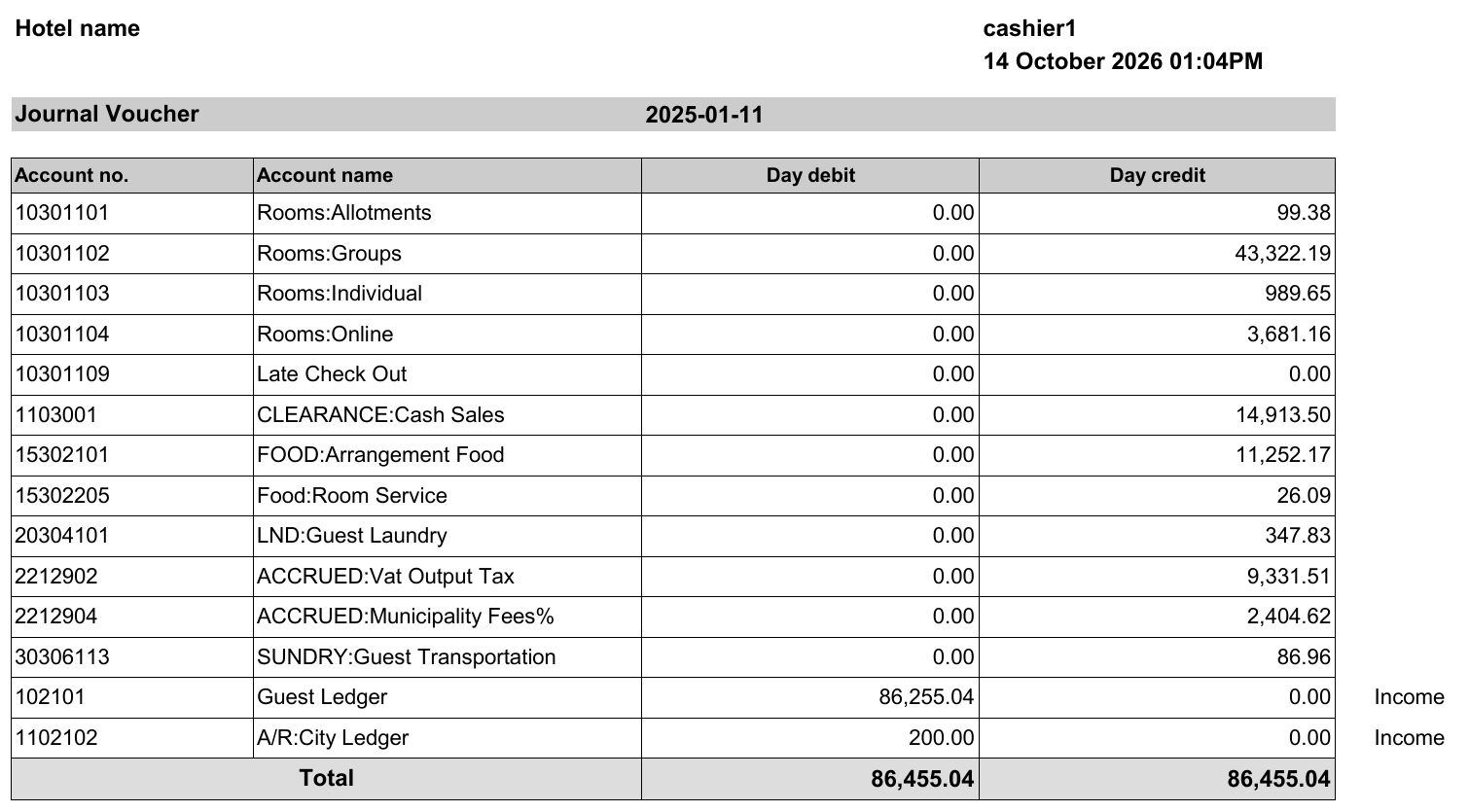
- Shows what the night audit posts to the general ledger for a day.
- Lists each GL account with its debit or credit amount.
- Shows that total debit equals total credit.
- Helps accountants check the posting before they review the ledger.
Use Cases
- An accountant checks the day’s JV before reviewing the general ledger.
- An income auditor finds which GL account a revenue amount went to.
- A financial controller confirms that debit and credit match for the day.
How It Works
Running the Report
- Date: pick the audit date. The Hijri date shows under the field.
- File type: XLS (the default), XLSX, ODS or PDF.
- Click Preview, Download or Print.

Report Layout
- Each department’s postings go to the GL account linked to that department.
- The report shows one row for each GL account.
- The Total row shows total debit and total credit. They are always equal.
Report Columns
To see every posting behind these amounts, use the Journal By Department Report.