What Is ZATCA?
ZATCA is the Zakat, Taxes and Customs Authority of Saudi Arabia. It was formed by merging the General Authority of Zakat and Tax with the General Customs Authority. It collects Zakat, taxes and customs duties.Business Value
- Meet KSA rules: hotels in Saudi Arabia must integrate with ZATCA.
- Automatic submission: all folios, receipts and manual charges go to ZATCA for checking and storage.
- Correct tax data: tax and discount department mapping classifies each transaction correctly.
- Credit and debit notes: a cancelled folio creates a credit note. A manual charge creates a debit note linked to the original invoice.
How It Works
Kwentra connects directly to ZATCA. It prints a QR code on the final invoices so the government can check them fast.
Contact support@kwentra.com. The team will guide you step by step.
Step 1: Register Your EGS Unit on the Fatoora Portal
First register your EGS (Electronic Generation System) on the ZATCA portal. 1.1 Open the Fatoora portal- Go to the Fatoora portal.
- Log in with your ERAD credentials (TIN or email, and password).
- Click Onboard New Solution Unit/Device.
- Fill in the form:
- Common Name: device name or tracking number (free text).
- EGS Serial Number: maker, model or version, and serial number (free text).
- Organization Identifier: 15-digit VAT registration number.
- Organization Unit Name: branch name, or 10-digit TIN for VAT groups.
- Organization Name: company name (free text).
- Invoice Type (Functionality Map): a binary code, such as 1000 for standard tax invoices.
- Location: branch address, or website for e-commerce.
- Click Submit.
- Select Generate OTP Codes.
- Choose one or more EGS units.
- Click Generate OTP.
- Copy or download the OTP. It is valid for 1 hour.
- Enter the OTP in your EGS unit before it expires.
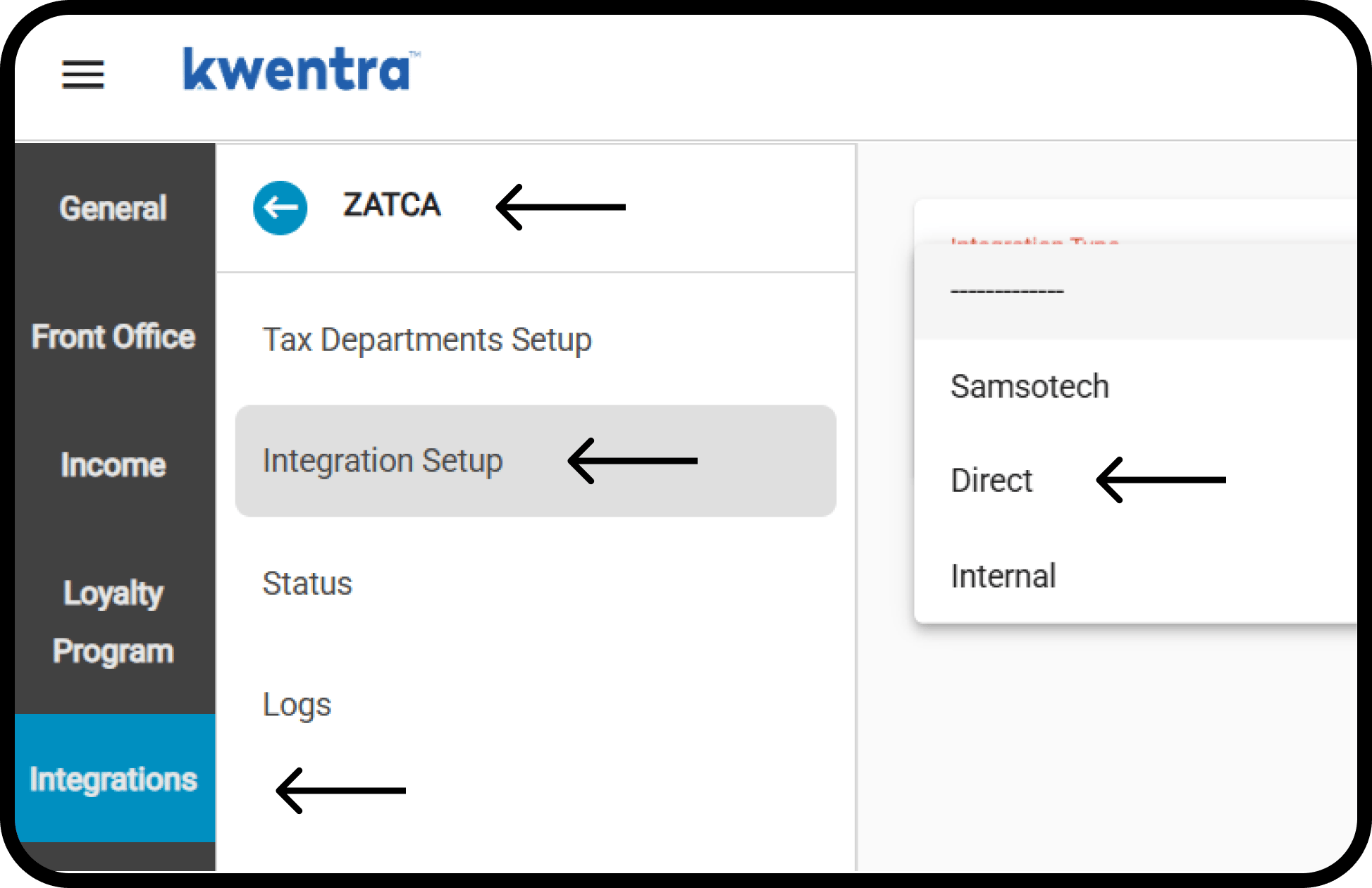
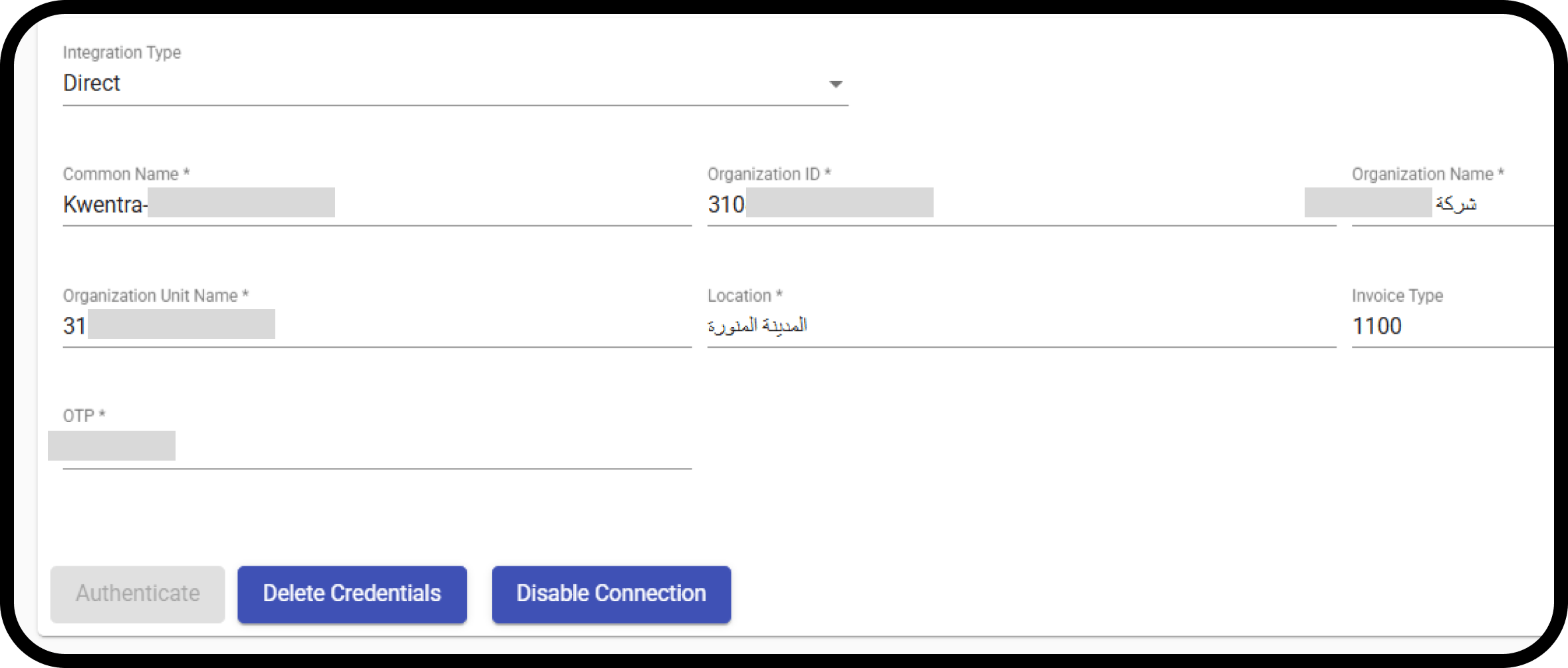
Step 2: Enter the ZATCA Settings in Kwentra
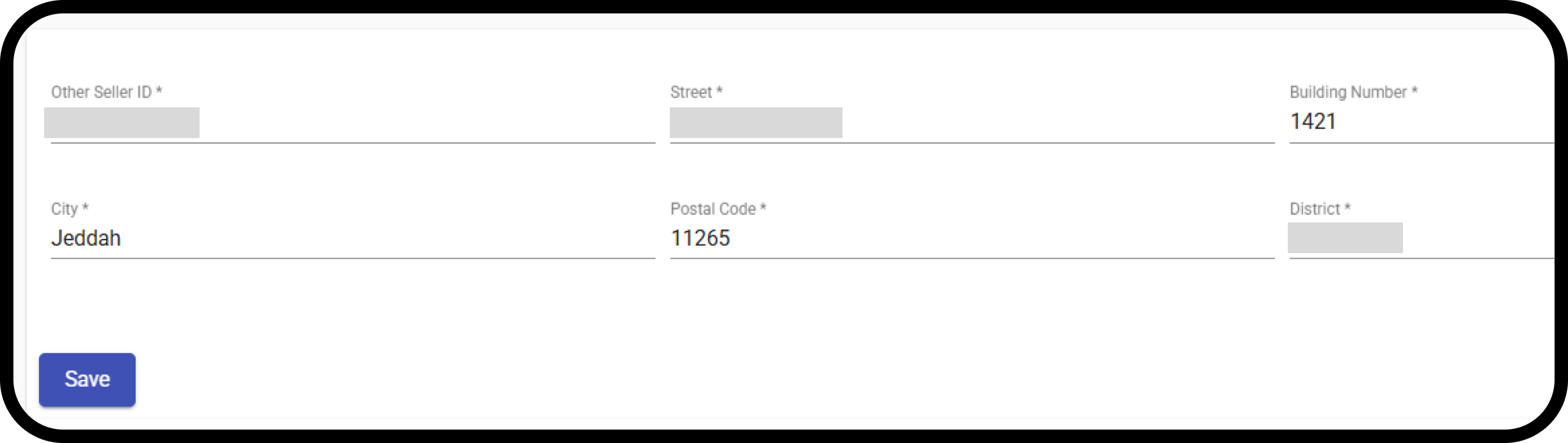
- Other Seller ID: the Commercial Registration Number, if you have one.
- Street, building number, city, postal code and district: the property’s details. They can match the main property details in Settings.
- Click Save.
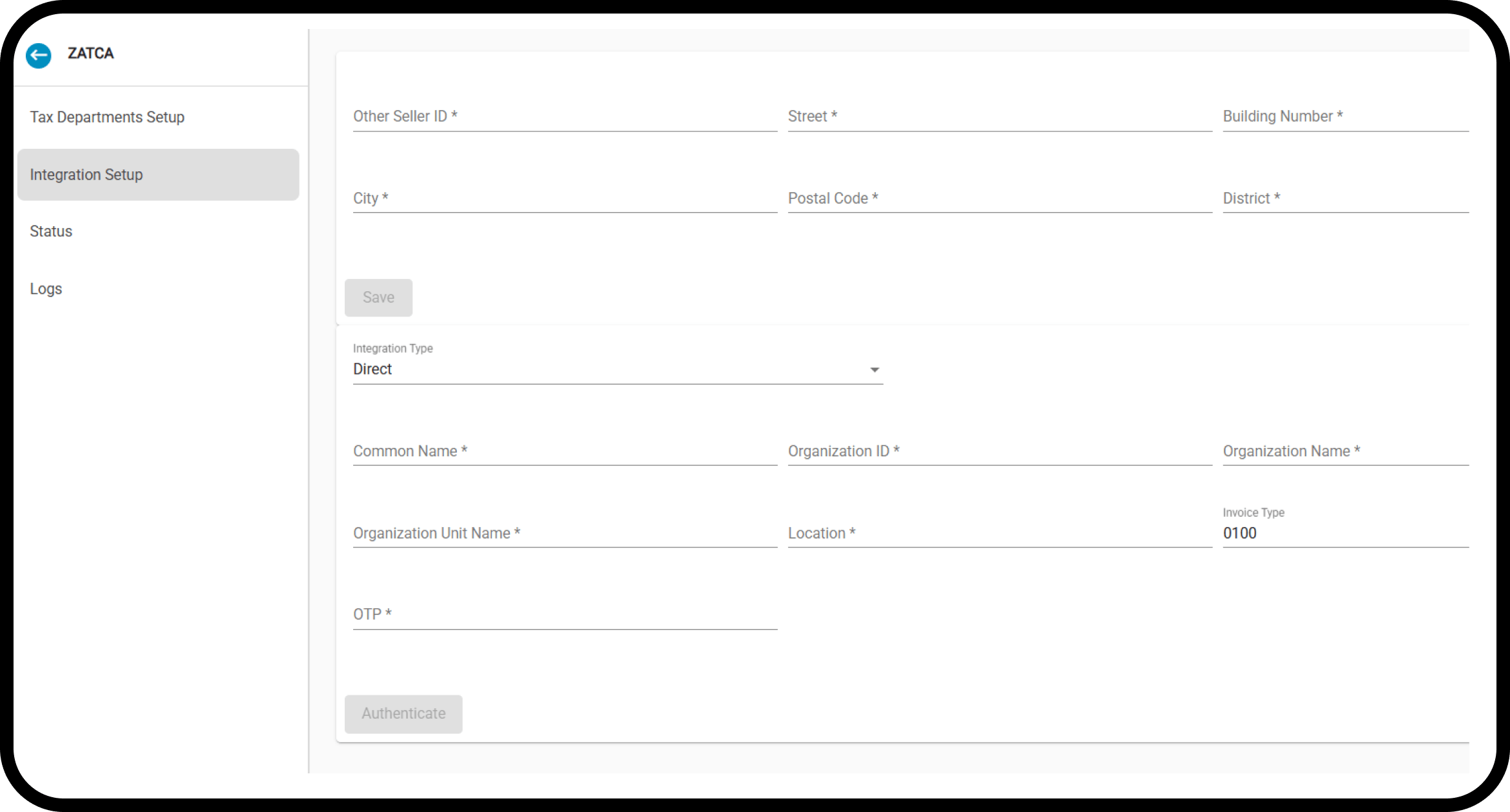
- Common Name: device name or tracking number (free text).
- EGS Serial Number: maker, model or version, and serial number (free text).
- Organization Identifier: 15-digit VAT registration number.
- Organization Unit Name: branch name, or 10-digit TIN for VAT groups.
- Organization Name: company name (free text).
- Invoice Type (Functionality Map): always 1100, for both invoice types.
- Location: branch address or website.
- OTP: the code from the ZATCA portal.
Step 3: Map the VAT Tax Department
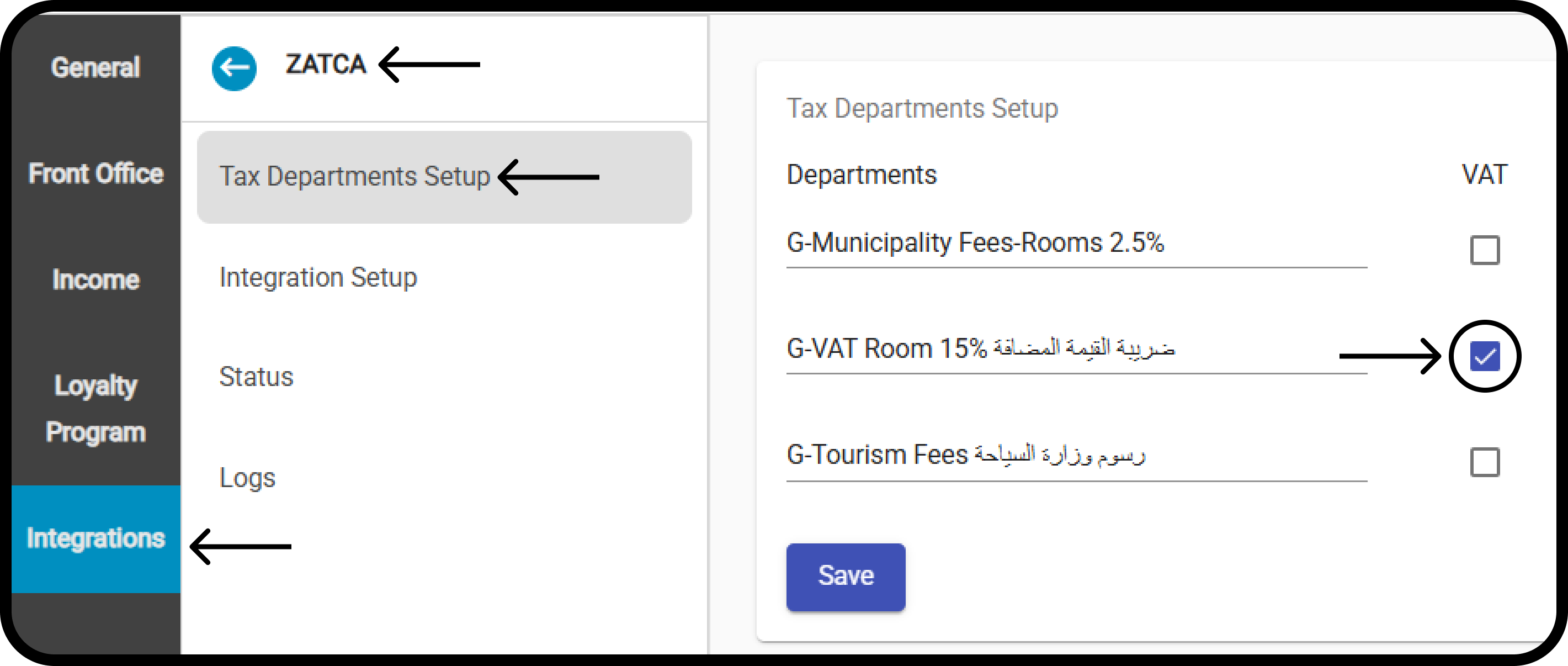
The integration needs the VAT department code mapped.- All tax codes are listed here automatically.
- Tick the code for VAT.
- Click Save.