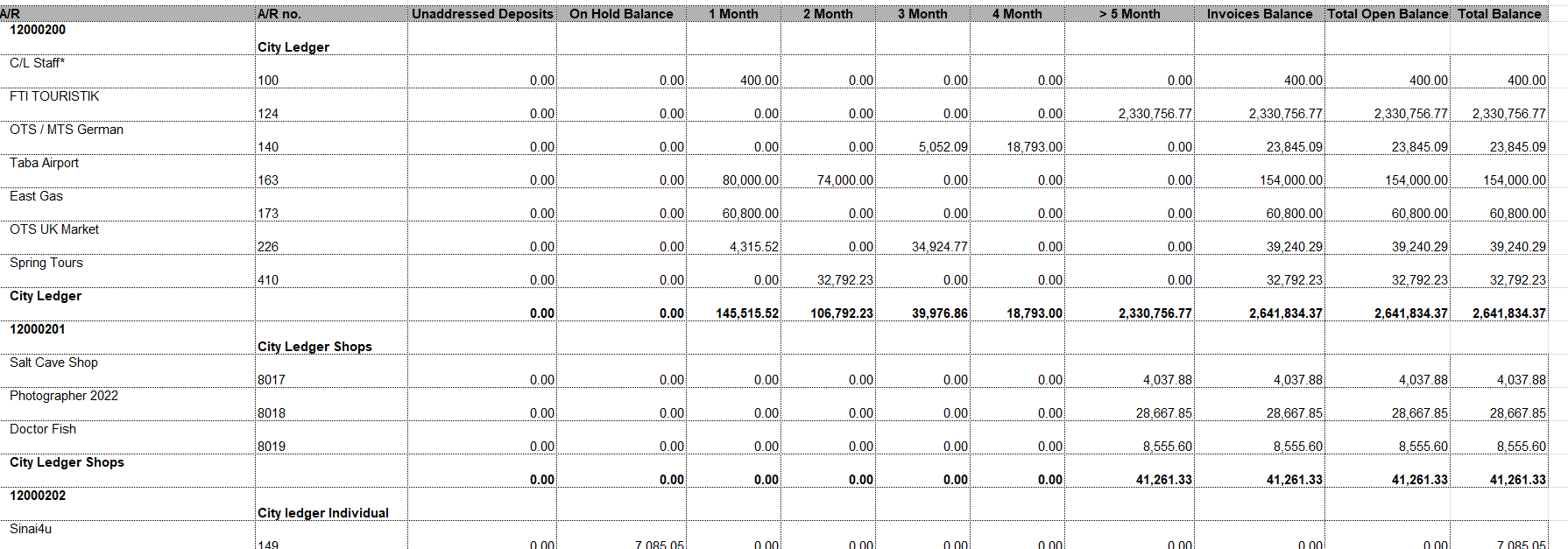
- Eliminates manual compilation from individual hotel reports.
- Monitors cash flow and collection priorities across portfolio.
- Optionally displays credit limits and flags exceeded accounts.
- Accessible to Multi Property Financial Controller and Night Auditor roles.
- Corporate controller identifies highest overdue balances and prioritizes collection.
- Finance director filters to show only active receivables for collection focus.
- Night auditor flags accounts exceeding credit limits across portfolio.
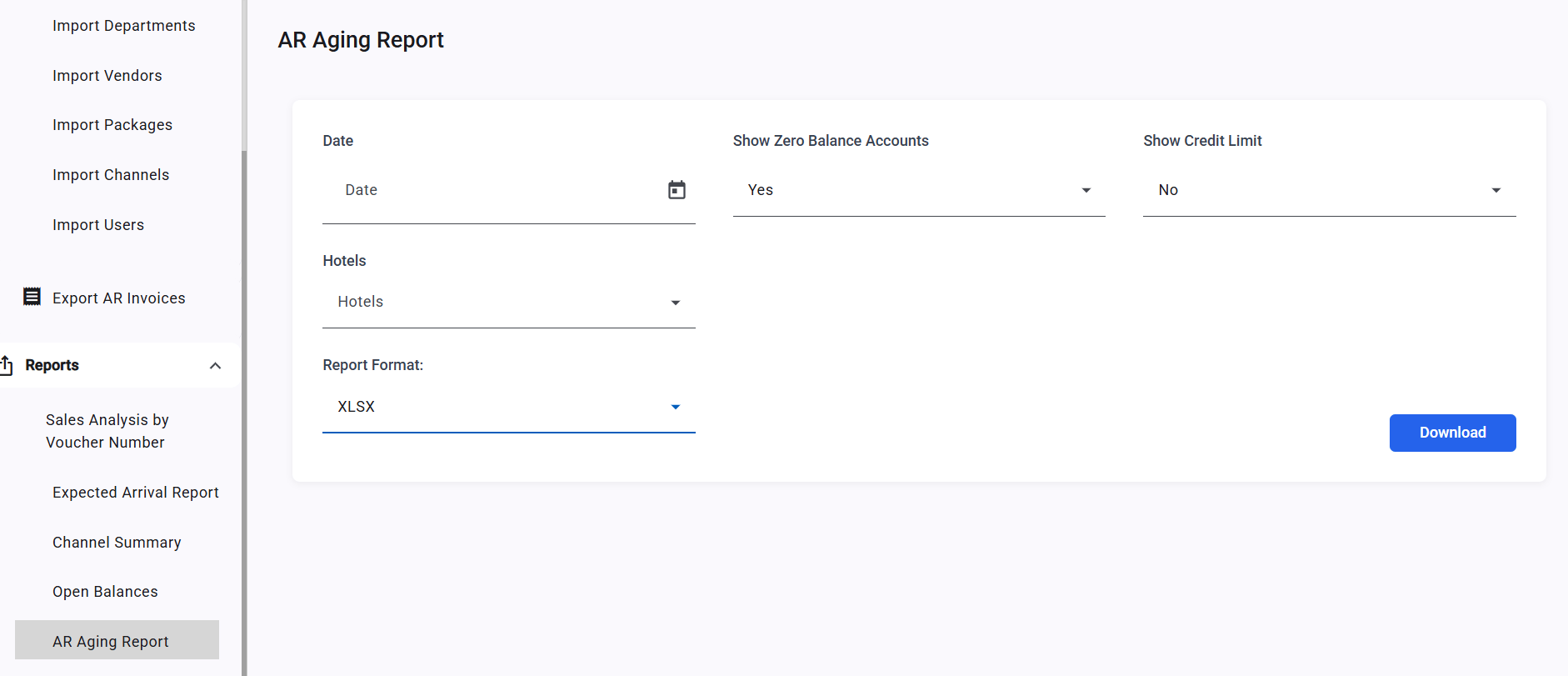
- Date (required) — the snapshot date for aging analysis; all aging buckets are calculated relative to this date.
- Show Zero Balance Accounts — Yes shows all AR accounts including those with zero balances; No (default) shows only accounts with outstanding balances.
- Show Credit Limit — No (default) hides the credit limit column; Yes adds the Credit Limit column and flags accounts with “Exceeded Credit Limit” notes.
- Hotels (multi-select autocomplete) — select specific hotels or leave blank to include all operational hotels. Head office, demo, and training instances are excluded automatically.
- AR Account Number and Name
- On-Hold Balance
- Current Month (0–30 days), 2 Months (31–60 days), 3 Months (61–90 days), 4 Months (91–120 days), 5+ Months (120+ days)
- Total Invoices, Unaddressed Deposits, Total Open Balance
- Line Total (On-Hold + Total Open Balance)
- Credit Limit and Exceeded Credit Limit note (when Show Credit Limit = Yes)