

How This Helps Your Business:
- Better Flexibility – Easily move reservations when availability or guest needs change.
- Centralized Control – Allow central reservation teams to manage bookings across properties.
- Error Reduction – Automates the transfer, avoiding manual data entry mistakes.
- Optimized Operations – Supports business continuity in case of maintenance or overbooking.
When to Use the Reservation Transfer Feature:
- ✅ To reassign guests from one hotel to another if a hotel is full or unavailable.
- ✅ To correct booking errors without canceling and re-entering data manually.
- ✅ To accommodate changes requested by a guest or the booking source.
How do you transfer an individual reservation?
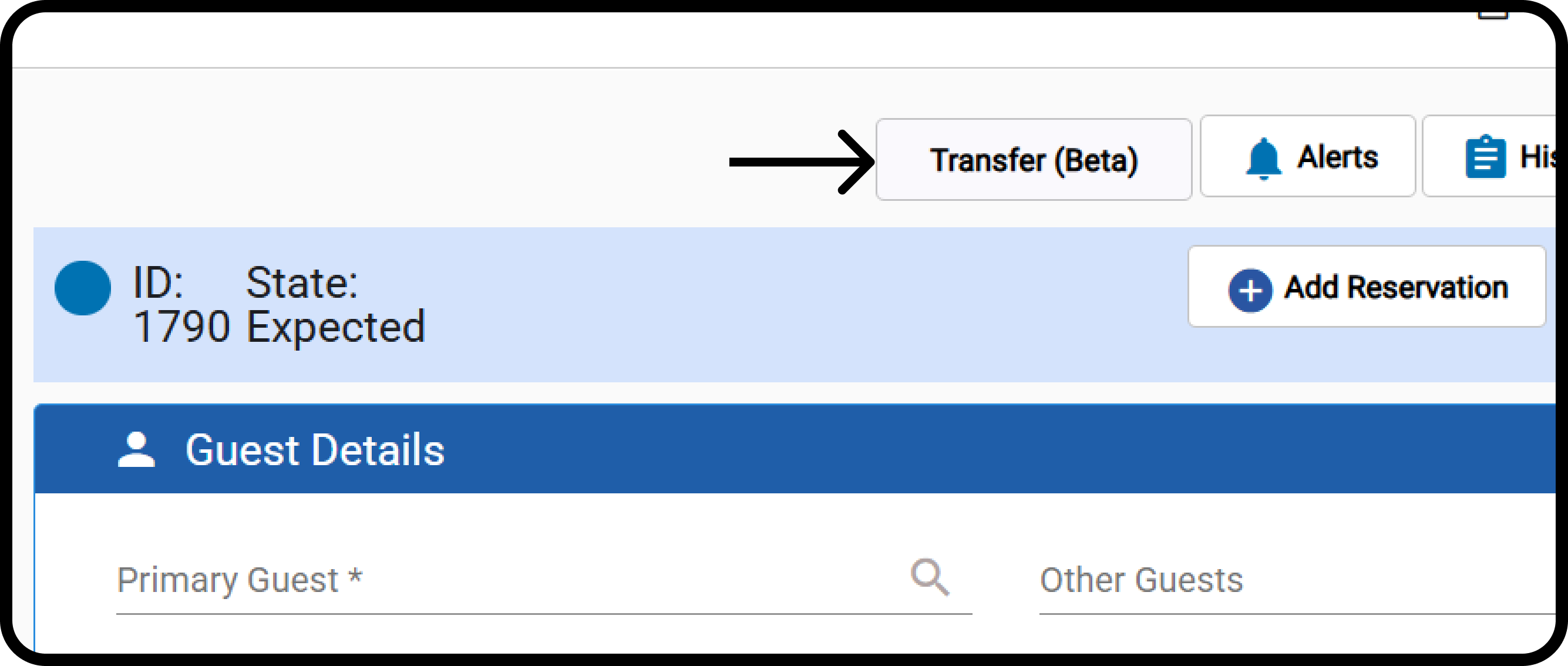
Front Office → Individual Reservations → Select Expected Reservation The button is enabled only if:- The user has “Transfer Group Reservation” permission.
- The user has access to multiple properties.
- The reservation status is “Expected”.
- The reservation has no financial postings in any window.
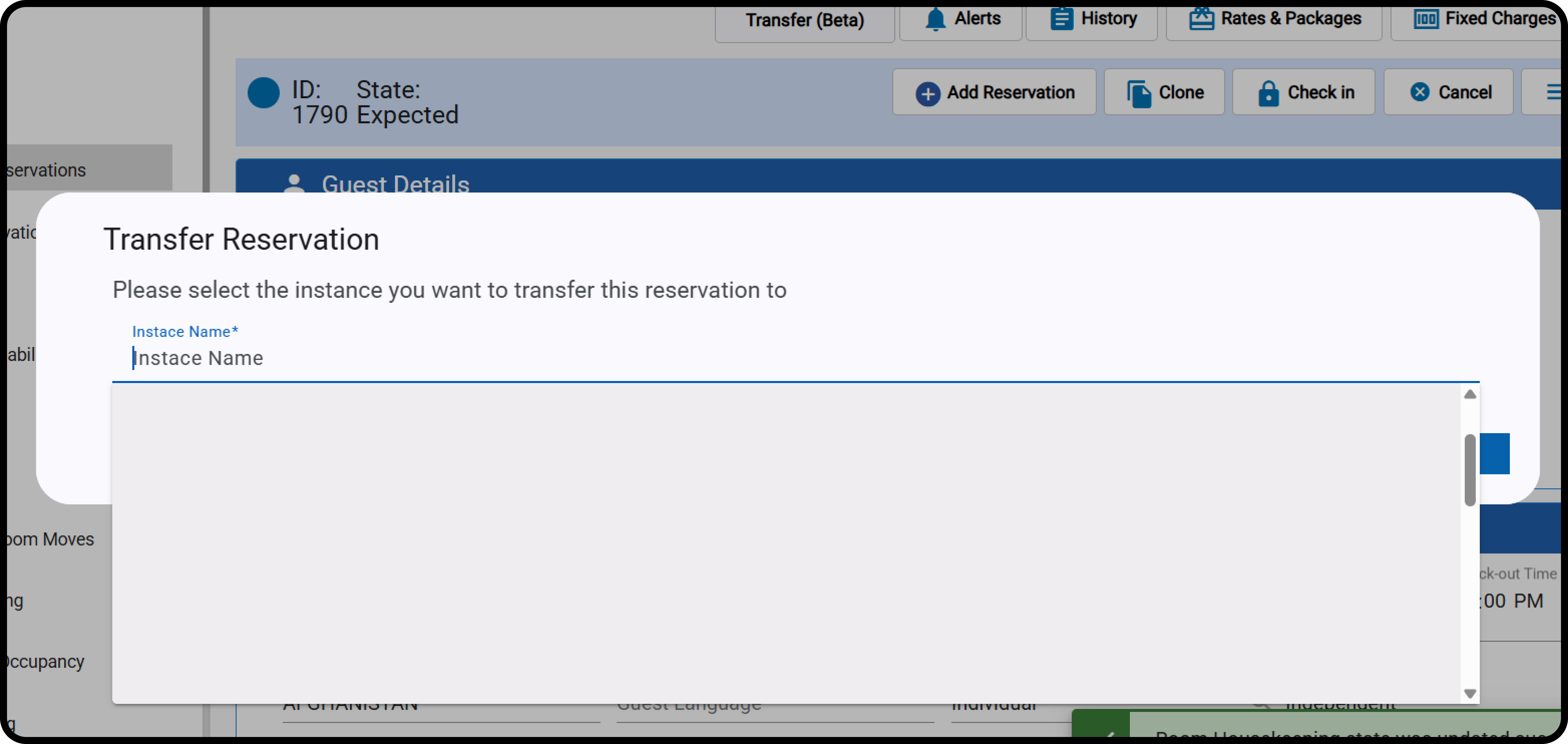
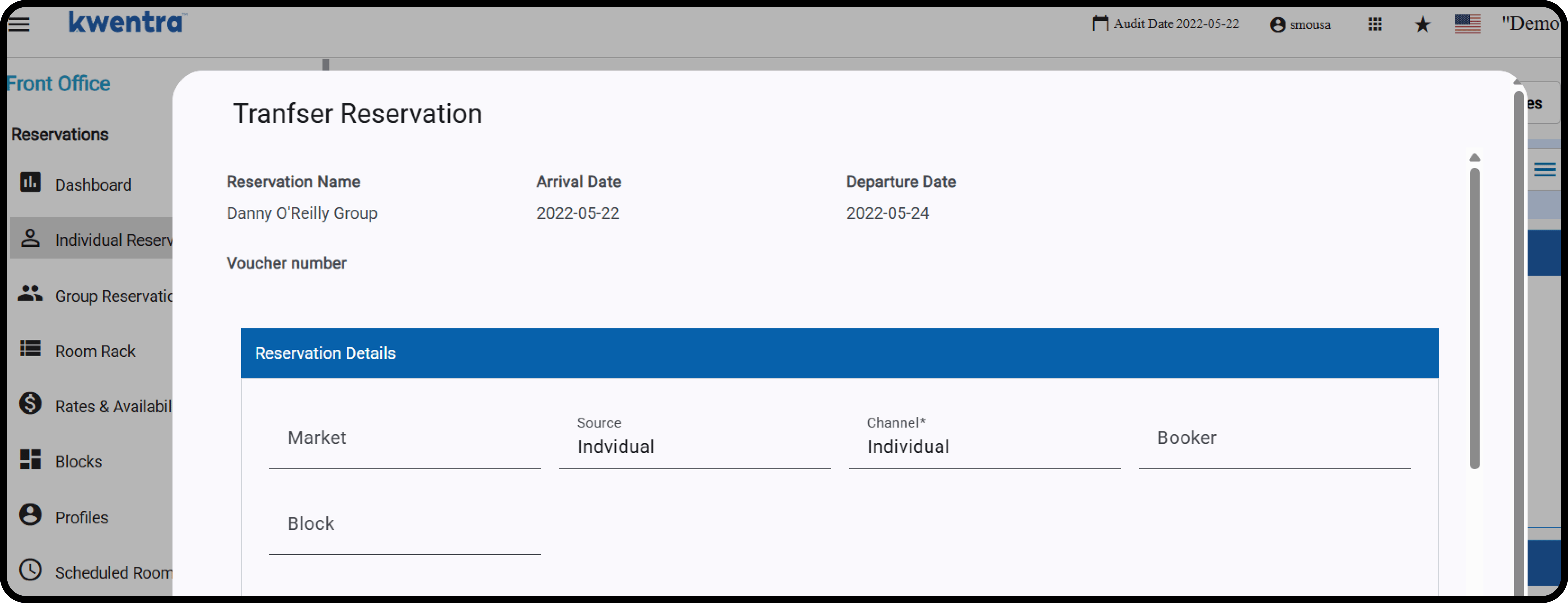
- Guest name.
- Arrival & Departure Dates.
- Voucher number
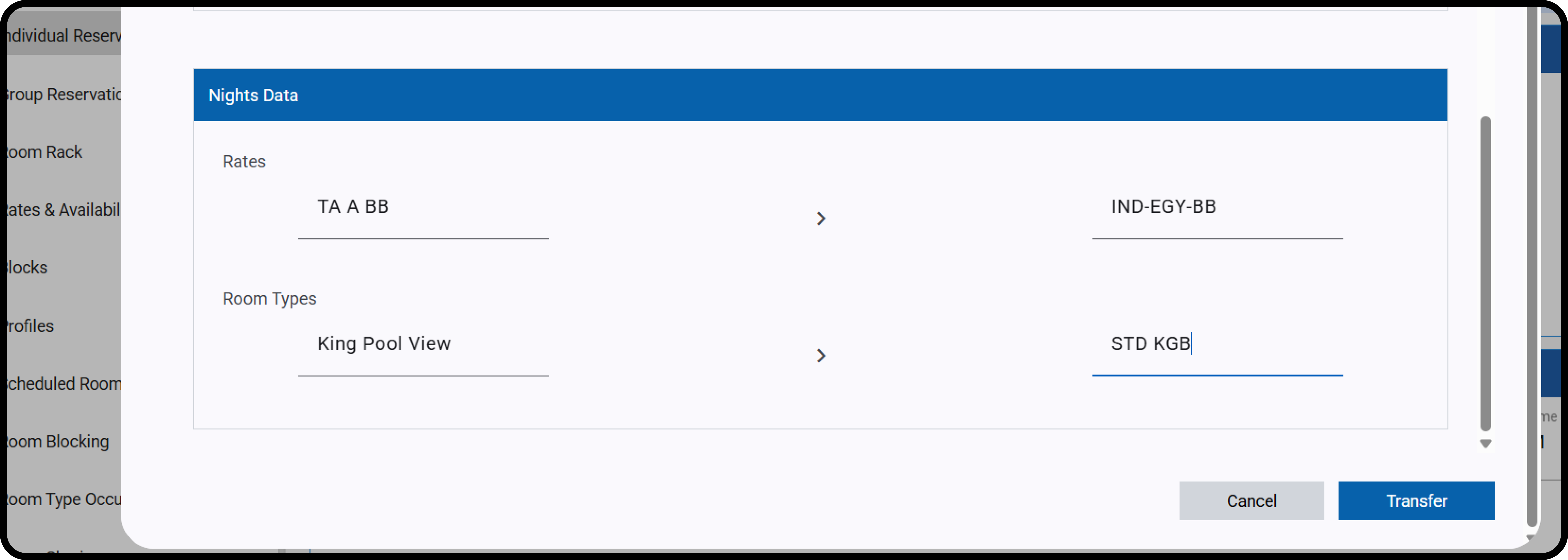
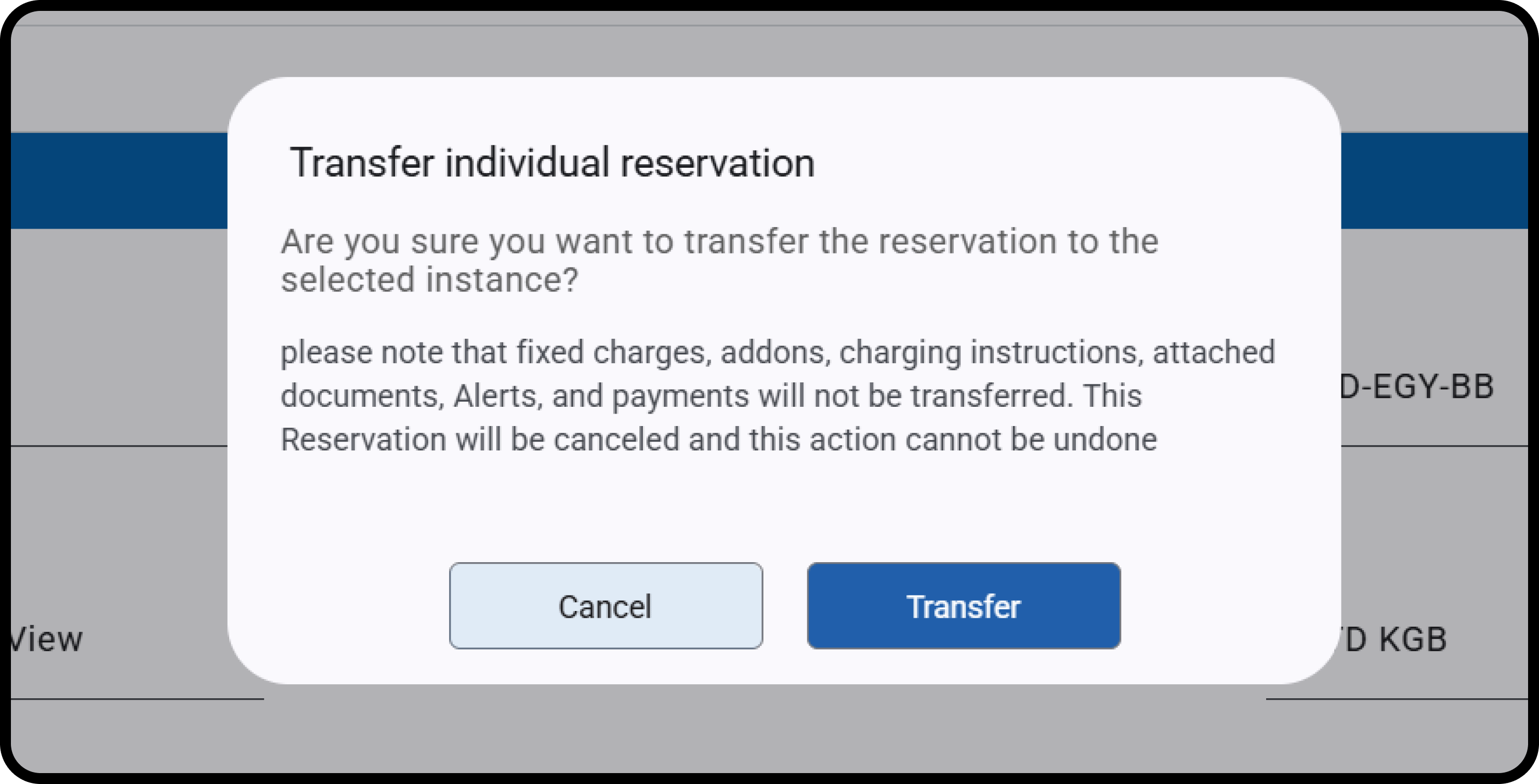
- A new reservation is created in the target instance (without a room number).
- The original reservation is automatically canceled.
- History log entries showing transfer details.
- “Original reservation had fixed charges” اشتمَل الحجز الأصلي على رسوم ثابتة
- “Original reservation had billing instructions” اشتمَل الحجز الأصلي على تعليمات فوترة
- “Original reservation had add-on packages” اشتمَل الحجز الأصلي على باقات إضافية
- Source and destination property dates: Both properties should be following the same audit date
- Rate Coverage: Ensures the selected rate has rate details in the destination property that covers the reservation dates.
- Occupancy Check: Confirms the number of guests and matches the room type occupancy for adults/children.
- Overbooking Warning: Allows transfer with a notification.