Why Use It?
- Reconcile charges and payments across split or group bookings.
- Generate statements for corporate clients, travel agents, or events.
- Support financial clarity by combining actual postings and predicted charges.
- Handle large hotel groups or multi-property tenants with ease.
How Does It Work?
How Reservations Are Grouped:
- Group reservations and their child reservations are matched using the confirmation number.
- Paymasters act as financial holders for group transactions.
- Individual reservations that are not part of a group are shown separately.
What Data Is Included:
- Predicted charges from unposted nights (via accommodation breakdown).
- Actual charges from reservation postings.
- Payments and credits from guest folios and paymaster accounts.
- GL Transactions related to the reservations.
Calculation Logic
Debit Components:
- Posted room charges (actual postings)
- Unposted room charges (predicted)
- Paymaster charges for group bookings
Credit Components:
- Guest payments (individual reservations)
- Payments posted to paymasters
Balance:
Balance = Total Debits - Total CreditsSpecial Business Rules
- Cancelled, No-Show, and Checked-in reservations are excluded unless unposted nights exist.
- Split reservations calculate charges per room.
- Group charges are multiplied by the number of rooms not yet split.
- Only predicted charges are shown for future unposted nights.
Update: 17 May, 2026
Additional filters And Columns
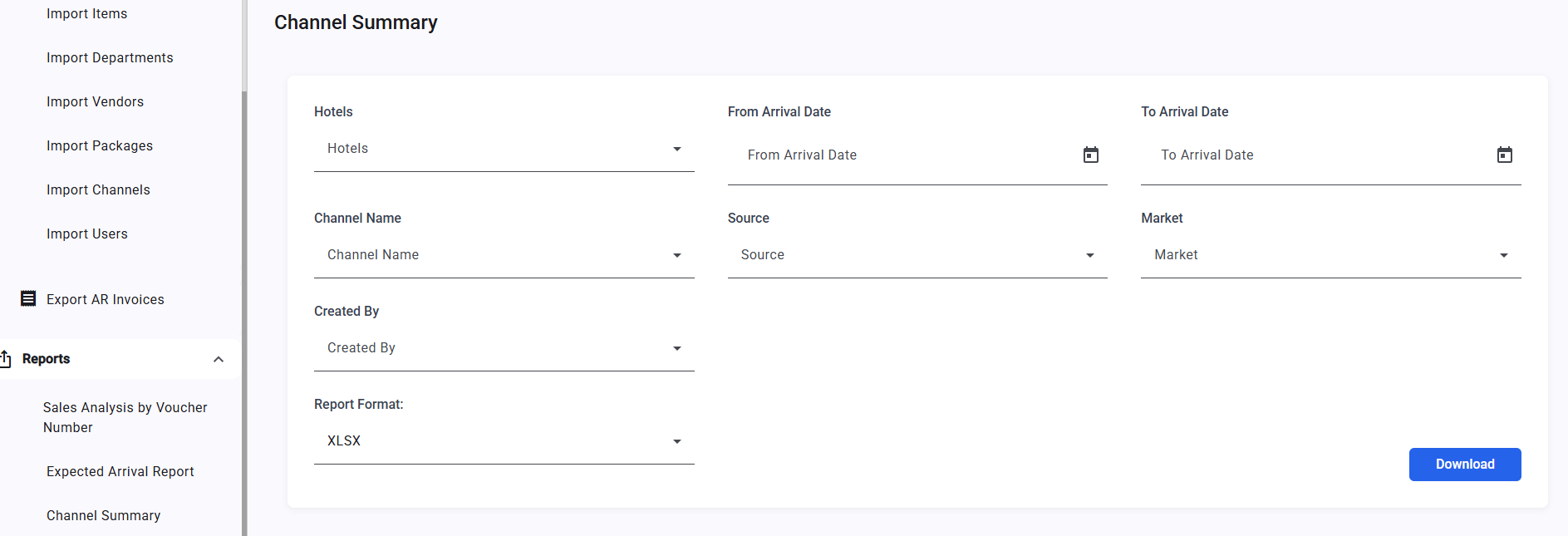
The Multiproperty Channel Summary Report adds Source, Market, and Created By filters, plus Guest Name, Country, and Debit Net columns. How It Works Running the Report
The following new filters have been added. All are optional and multi-select:
- Source — Filter by reservation source.
- Market — Filter by reservation market segment.
- Created By — Filter by the user who created the reservation.