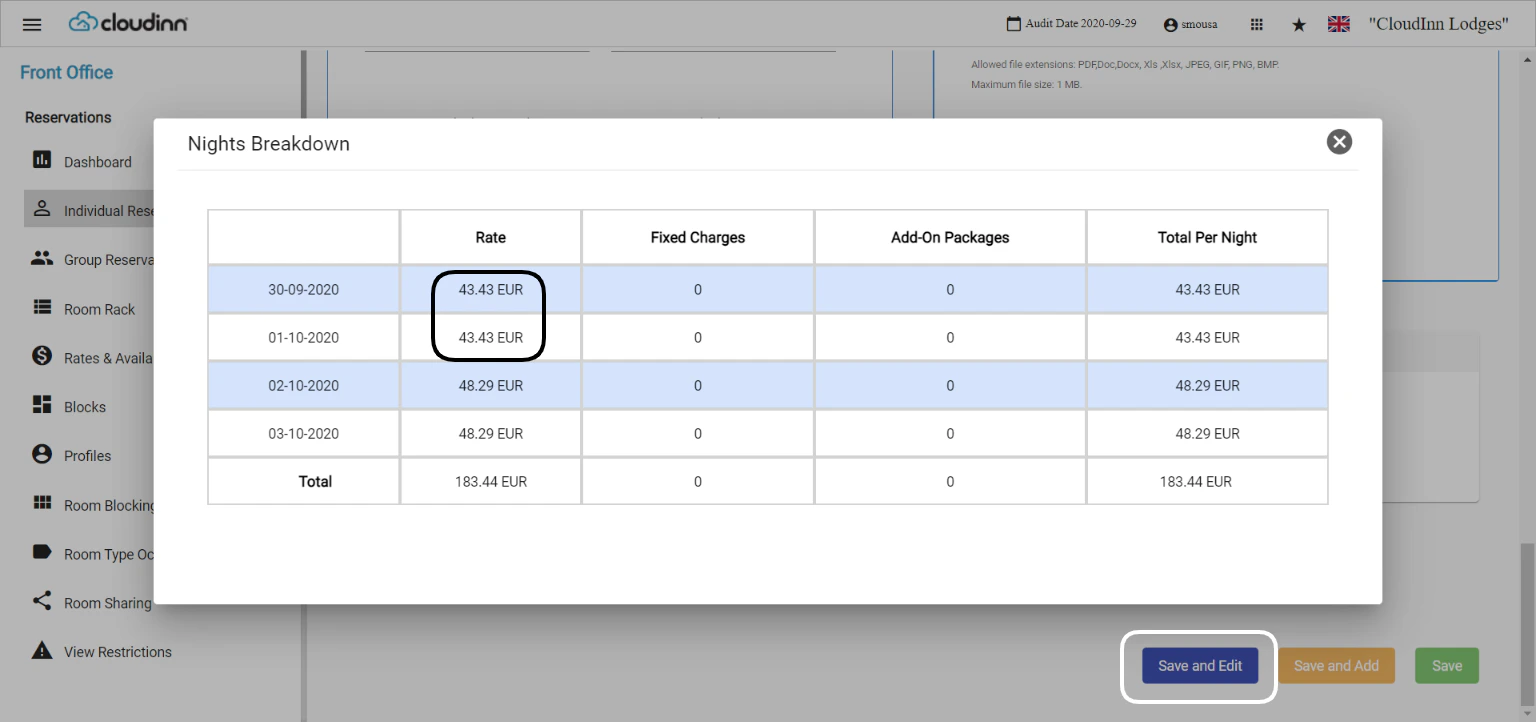
Whenever you would like to apply a discount on a certain reservation for one of your guests, rate discount happens on the individual reservation level. We apply the discount on each night as follow…
Whenever you would like to apply a discount on a certain reservation for one of your guests, rate discount happens on the individual reservation level.We apply the discount on each night as follows:Front Office → Individual Reservations → Find Reservation → Rate PlanWhen applying a discount you get to choose whether to discount an amount or a percentage from the selected nightly rate.When you apply a discount on 1 night from Rate Plan it will automatically reflect on the following nights.If you only want to discount 1 night, make sure to remove the discount from the following nights using the arrows next to the dates.In order for the discounts to reflect on the room nights, you need to scroll down to Save and edit.Your discounts will reflect positively and you can check them from View Nights Breakdown.