Documentation Index
Fetch the complete documentation index at: https://help.kwentra.com/llms.txt
Use this file to discover all available pages before exploring further.
How can you make a payment for a reservation?
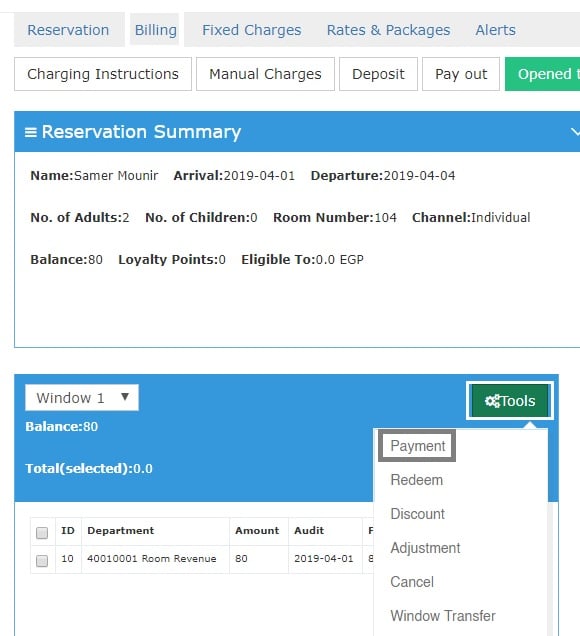
When you want to Check-out a reservation all payments that are due on the guest should be settled i.e balance should be Zero. 1- Once you reach the reservation page click on Billing. 2- Click on Tools and then choose Payment.
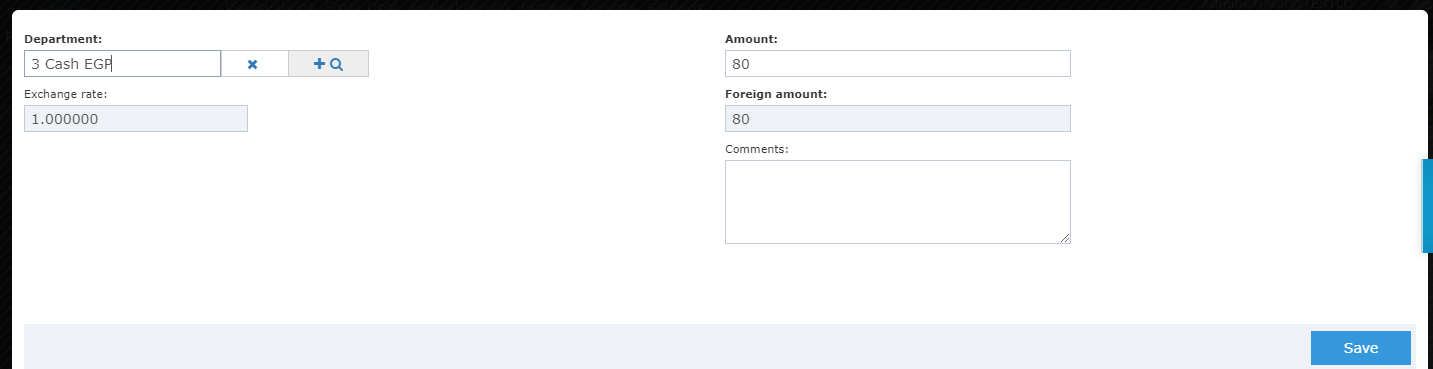
3- Select the Credit Department you wish this amount to go to.
4- click on Save.
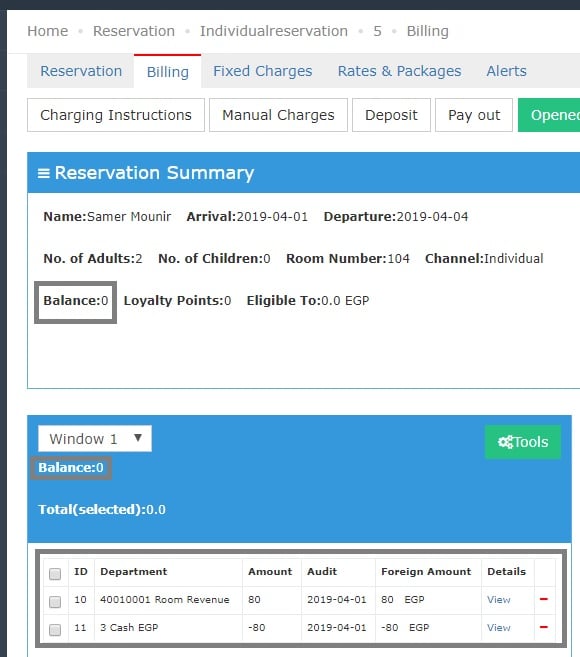
Getting back to Billing Screen we can see the balance now is Zero and the Room Revenue Posting is met with a negative posting going to Cash EGP confirming that the guest has already settled this charge using Cash.