Business Value
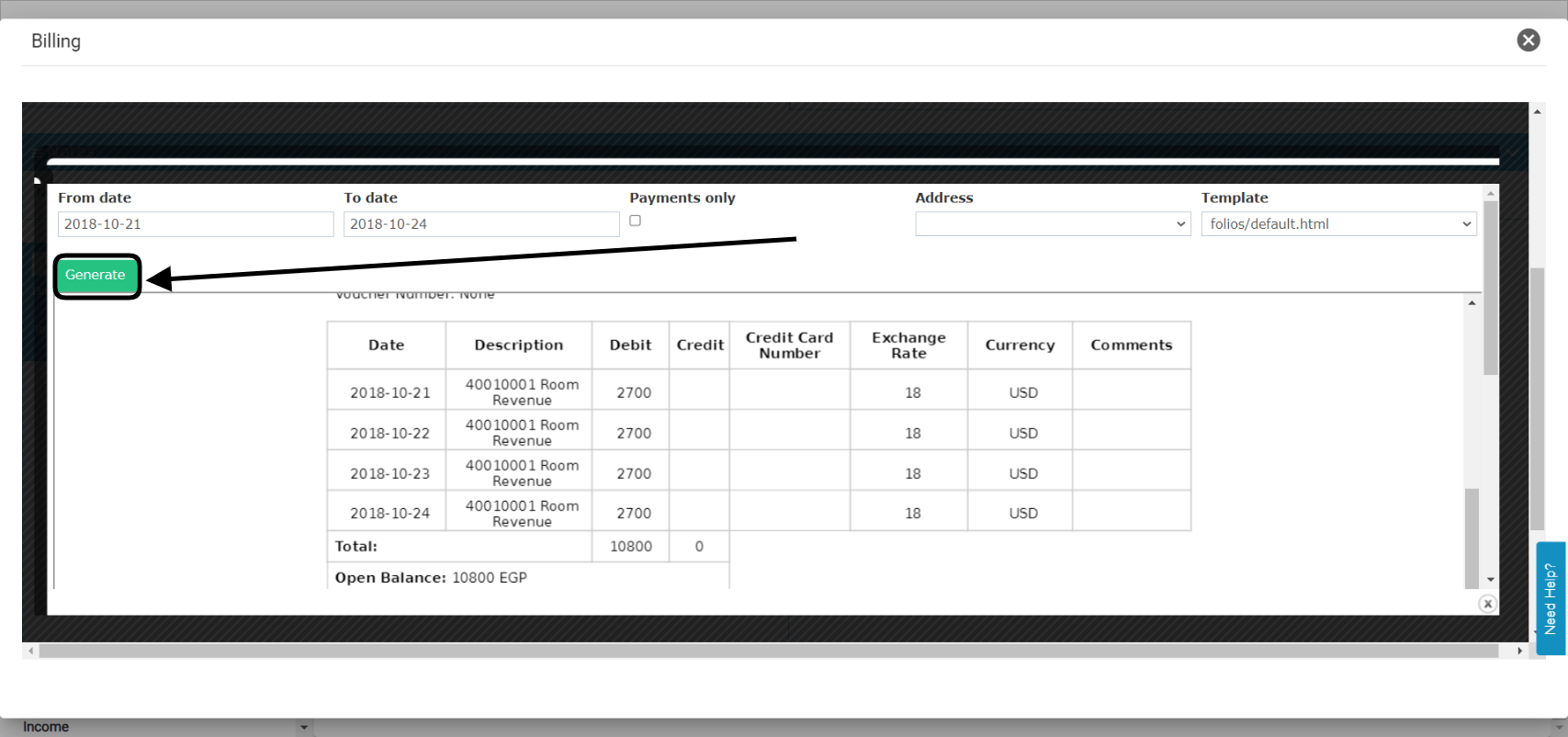
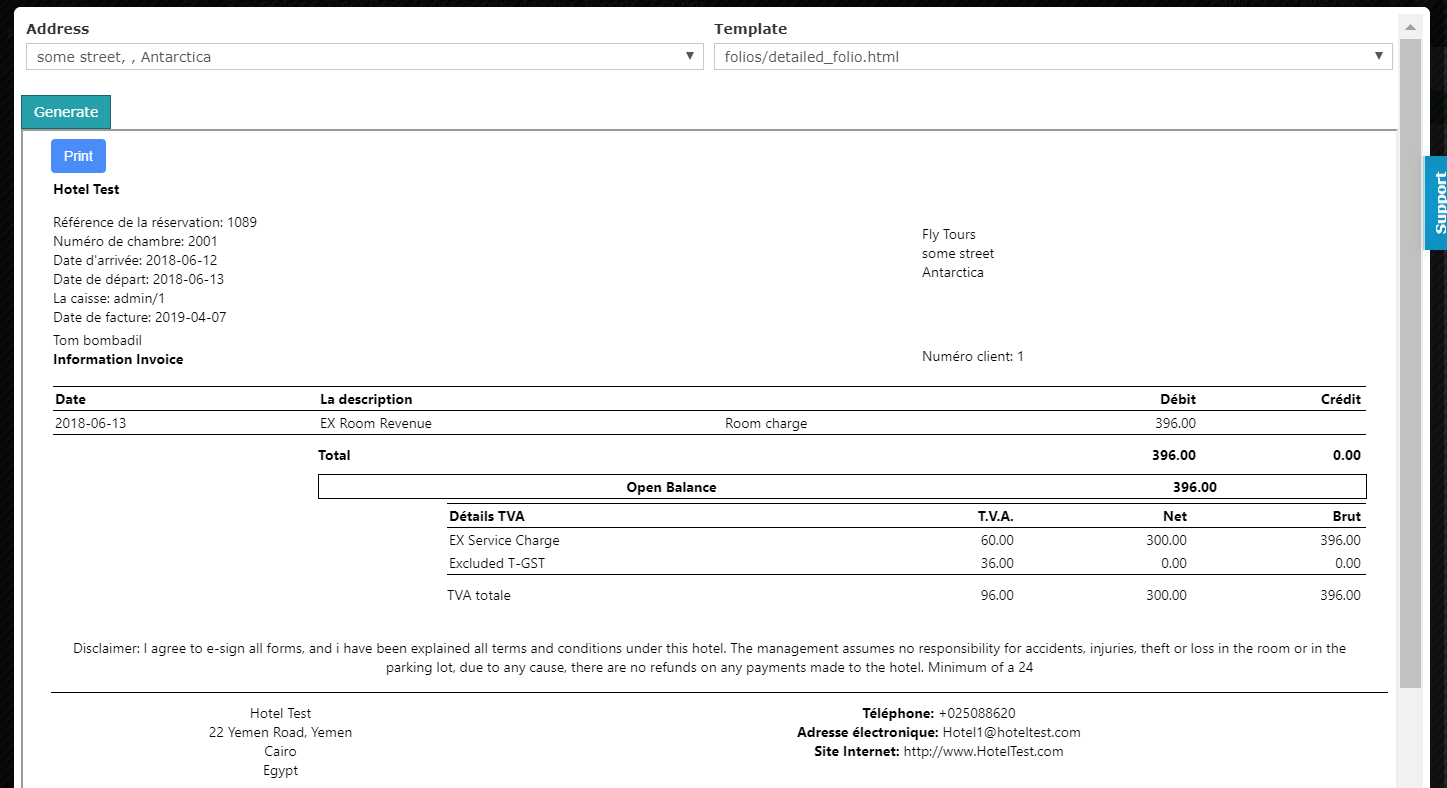
- Shows the guest’s invoice and expected revenue before posting.
- Includes charges coming from another reservation’s charging instructions.
- Shows what the guest still owes after a deposit.
- Prints a ready invoice to hand to the guest.
Use Cases
- A receptionist prints a proforma so the guest can check the charges before arrival.
- A cashier generates a proforma and sees the balance due after the deposit.
- A front office manager checks that charging instructions from another room show correctly.
How It Works
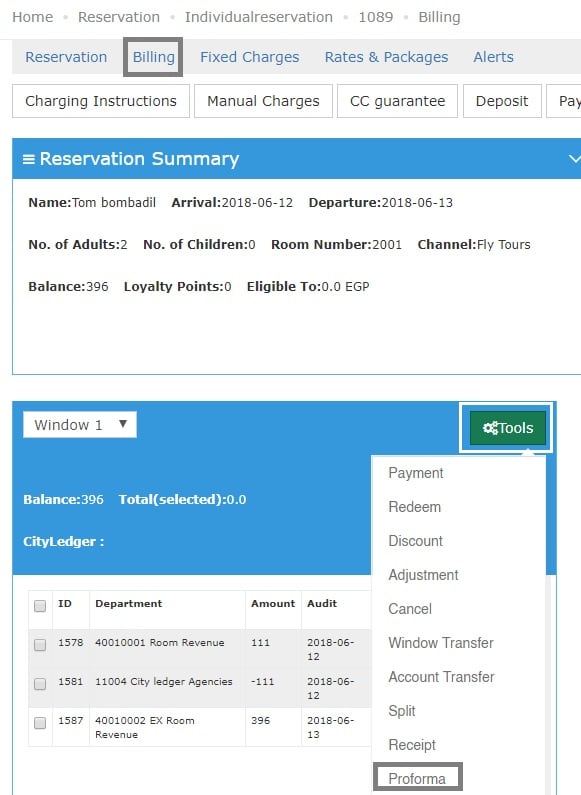
- Open the reservation and click Billing.
- Click Tools, then Proforma.
- Select the proforma template.
- Click Generate.

- Click Print to print the proforma.
What the Proforma Shows
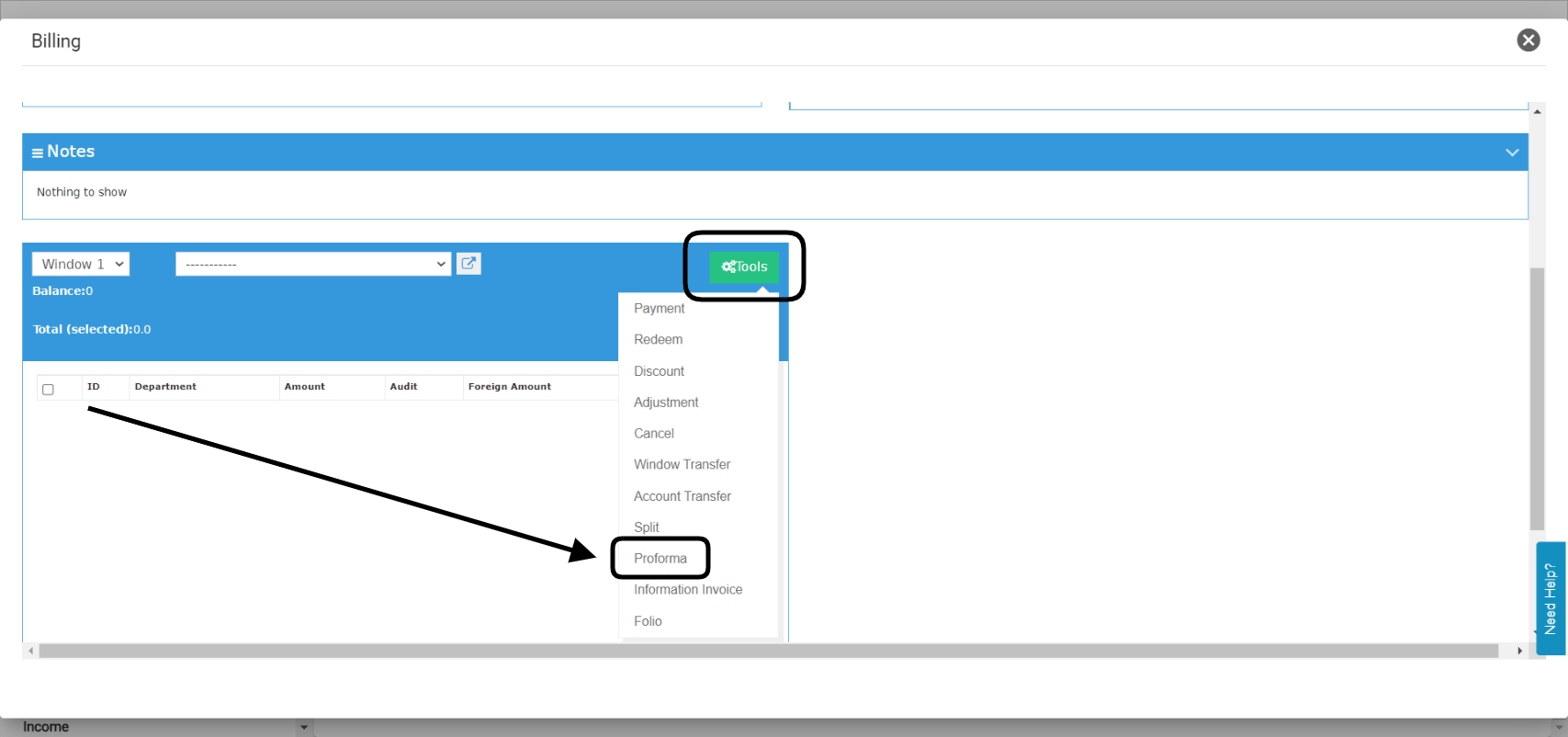
- You can generate it even when the billing screen is empty.
- It shows the expected charges from the reservation itself.
- It also shows charges coming from a charging instruction.
- If the guest paid a deposit, it shows the open balance. This is what the guest still has to pay.