

Business Value
- Speeds up guest communication by sending confirmation links instantly via WhatsApp.
- Reduces manual steps — no need to copy links and open WhatsApp separately.
- Validates and auto-corrects guest mobile numbers based on country code before sending.
- Supports custom confirmation templates, ensuring guests receive a branded confirmation.
- Works for both individual and group reservations from a single consistent flow.
Use Cases
- Front desk agent shares the confirmation link via WhatsApp after a reservation is made — the guest receives it instantly on their phone.
- Reservations manager copies the public confirmation link to paste into an email or messaging platform.
- Group coordinator enters the group contact’s mobile number to send the confirmation link for a group booking.
How It Works
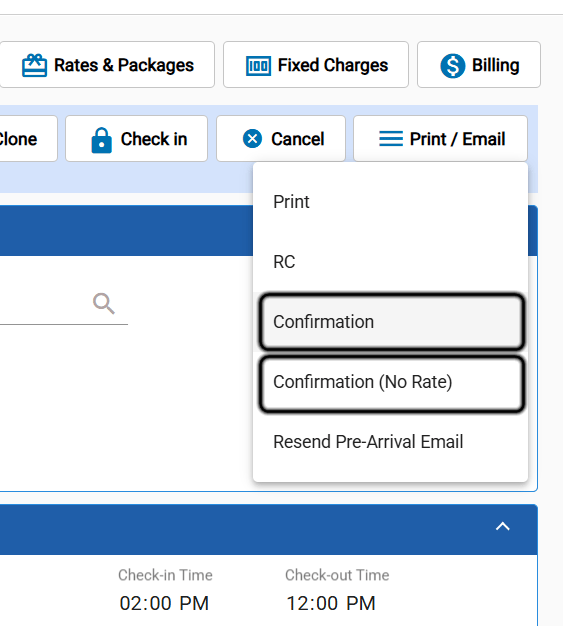
Copy Public Link
Click Copy Public Link to copy the confirmation’s public URL to your clipboard. You can then paste it into any channel — email, chat, or SMS.Share Via WhatsApp
Click Share Via WhatsApp to open a WhatsApp message pre-addressed to the guest’s mobile number with the confirmation link as the message text.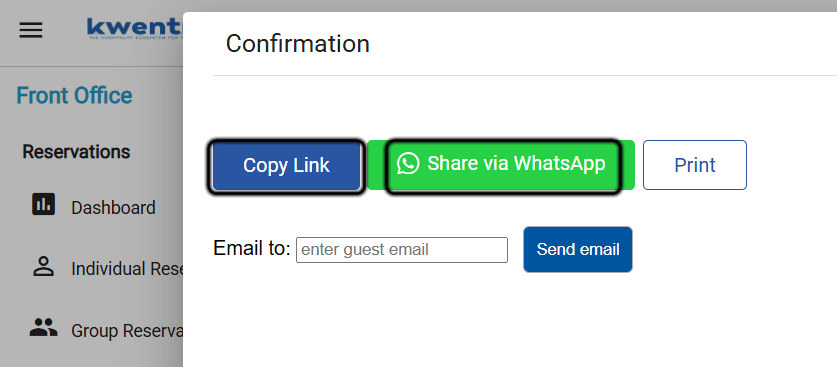
- If the guest profile has a Mobile number → uses it directly.
- If Mobile is empty → falls back to the Telephone field.
- If both are empty → displays a prompt with a Mobile Number field and a Save & Send button. Enter the number and click Save & Send to save it to the guest profile and send.