

How to cancel postings/charges from billing screen?
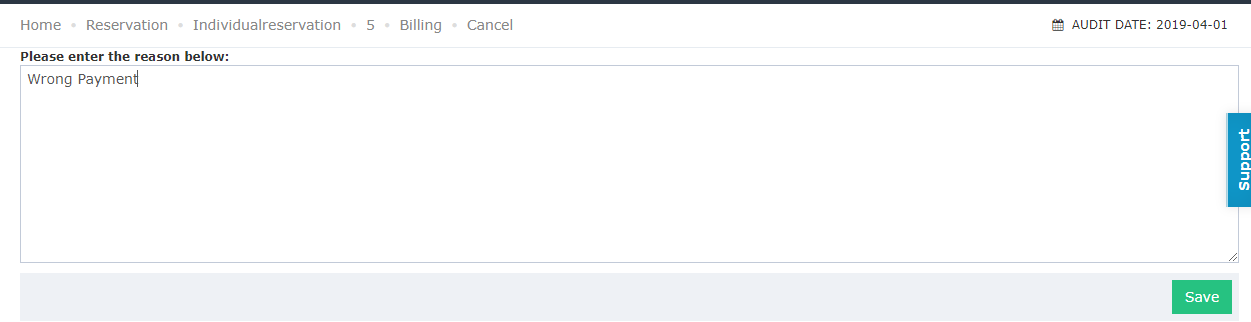
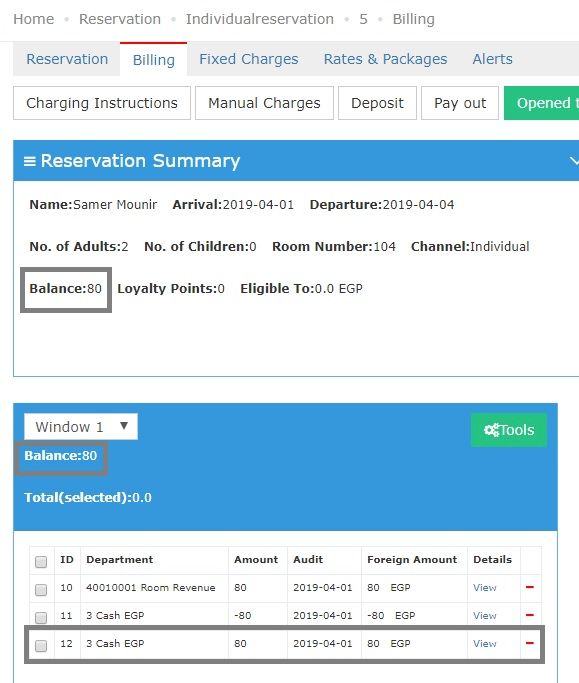
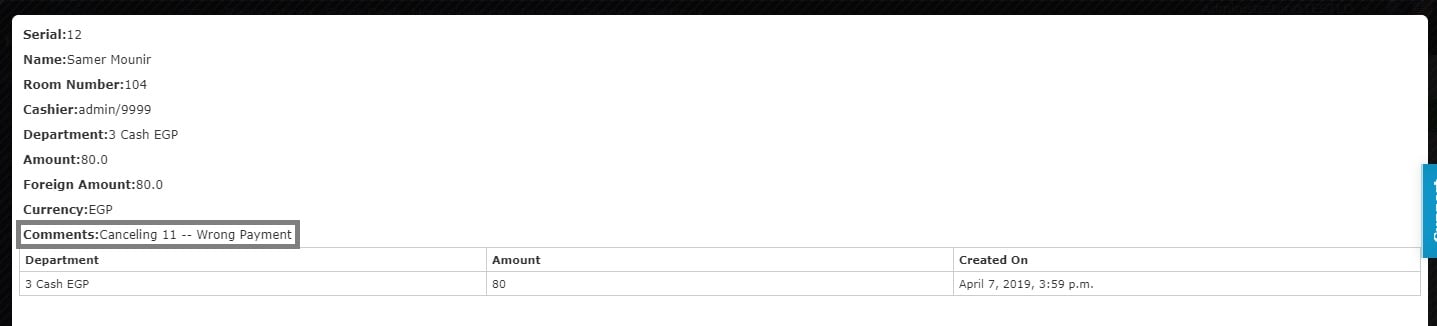
In the scenario wherein a posting for a charge has been added by mistake or a payment that has been made for the guest and you want to reverse this action, you can cancel it easily by following the below: 1- Once you reach the reservation page click on Billing. 2- Select the posting/charge you would like to cancel. 3- Click on Tools then choose Cancel. Please note that now the balance on the reservation is Zero.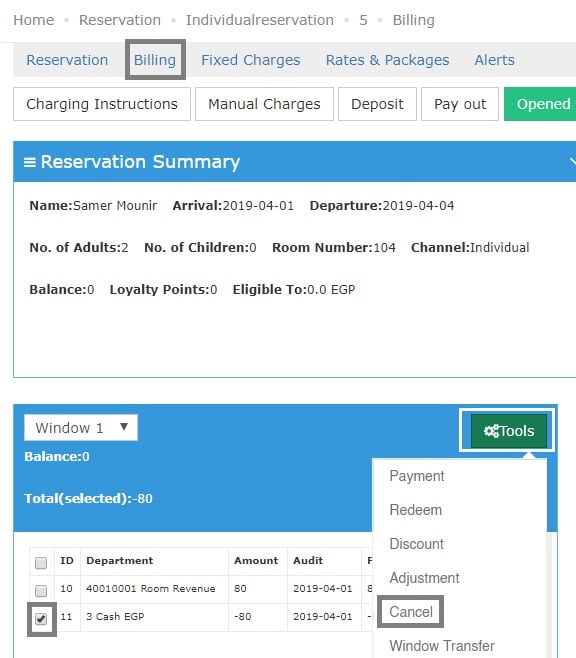
Update: August 3, 2026
Cancel Multiple Postings at Once
You can now select several postings in the Billing Window and cancel them all in one action.What’s New?
Previously the Cancel action handled one posting at a time — selecting more than one and clicking Cancel returned an error. Front desk agents fixing a batch of wrongly posted room charges or service fees had to repeat the whole cancellation flow for every line, which was slow and error-prone during checkout. Bulk cancel now works the same way the existing bulk Transfer action already does in the same window.How It Works
- Tick the checkbox next to each posting you want to cancel. You can select one or many.
- Click Tools then Cancel, and confirm.
- Enter one cancellation reason — it applies to every posting in the selection.
- All selected postings are cancelled in a single action.
Postings That Cannot Be Cancelled
- If a posting in your selection cannot be cancelled — for example, it belongs to a closed audit date — the operation is not stopped for the whole batch.
- The system reports which postings were cancelled successfully and which failed, so you can act on the failures separately.