

Business Value
- Gives management and income audit teams full visibility on every QR code pickup for meal service.
- Supports accountability and fraud prevention by tracking each scan’s user, date/time, and related guest/reservation.
- Enables detailed breakdowns for meal/package redemption, helping with reporting, cost control, and guest dispute resolution.
Use Cases
- The income auditor reviews all meal redemptions via QR code by date and user for end-of-month closing.
- The front office or F&B manager checks which reservations or paymasters redeemed which packages or meals, supporting cost allocation and guest service.
- The finance team investigates meal pickups by room/guest after a dispute or to confirm package delivery for group events.
How-To & Report Parameters
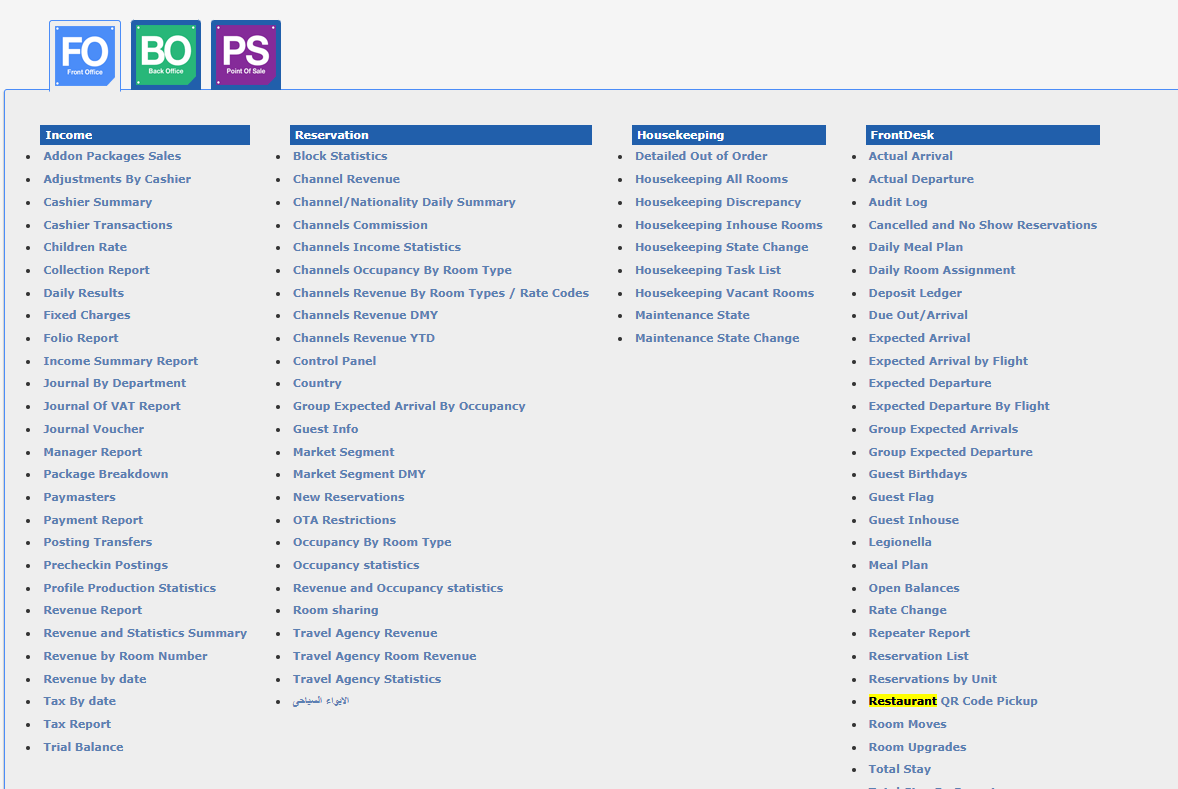
EN:- Go to: Reports → Front Office → Front Desk → Restaurant QR Code Pickup
- Parameters:
- From date: (mandatory) - Start date for pickups. Cannot be after “To Date”.
- To date: (mandatory) - End date for pickups. Cannot be before “From Date”.
- Group by: (dropdown)
- None (Show Grand Total)
- Type (Reservation & Paymaster with totals)
- Package (totals per package + grand total)
- Meal (totals per meal + grand total)
- Type: (multi-select) Reservation, Paymaster
- Package: (multi-select, shows only packages with meals)
- Meal: (multi-select)
- User: (multi-select)
Report Output
- Type (Reservation or Paymaster)
- QR Code (Per Reservation/Paymaster, Per Pax)
- Number (Room number for Reservation, Paymaster number for Paymaster)
- Guest (Guest code if QR by Pax)
- Package (linked to scanned meal)
- Meal (scanned meal)
- User (who scanned)
- Date/Time (scan action)
- Selected parameters display in the report header
Permissions
EN:- New permissions created:
- Can run restaurant QR code pickup
- Can view restaurant QR code pickup
- Added to: Administrator, Chief Acc, Financial Controller, Financial Manager, General Manager, Income Auditor, Night Auditor, FO Manager, POS Manager, Reports Access, and their respective “No Settings” and “View Only” roles.