

- Search for the reservation.
- Open the reservation by clicking on it.
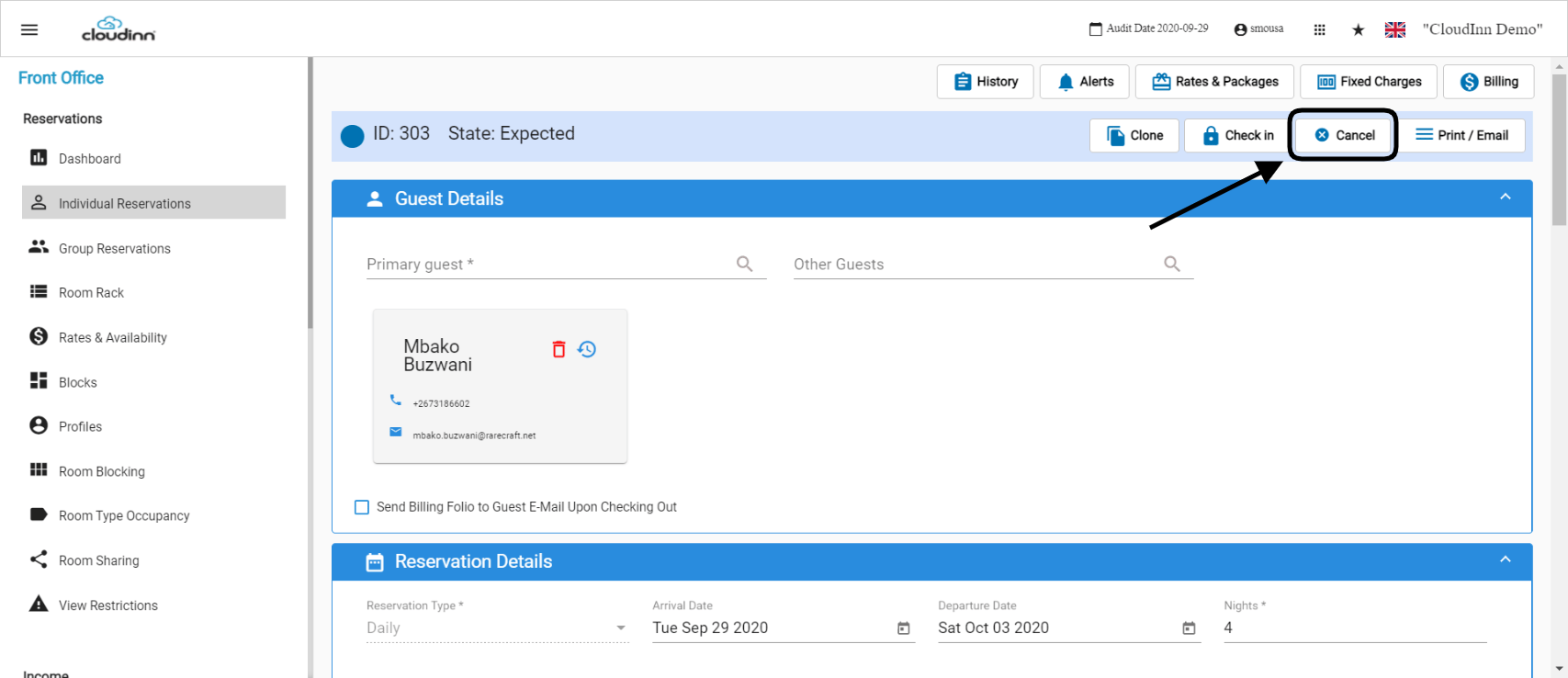
- Click Cancel from the top right side of the reservations page.
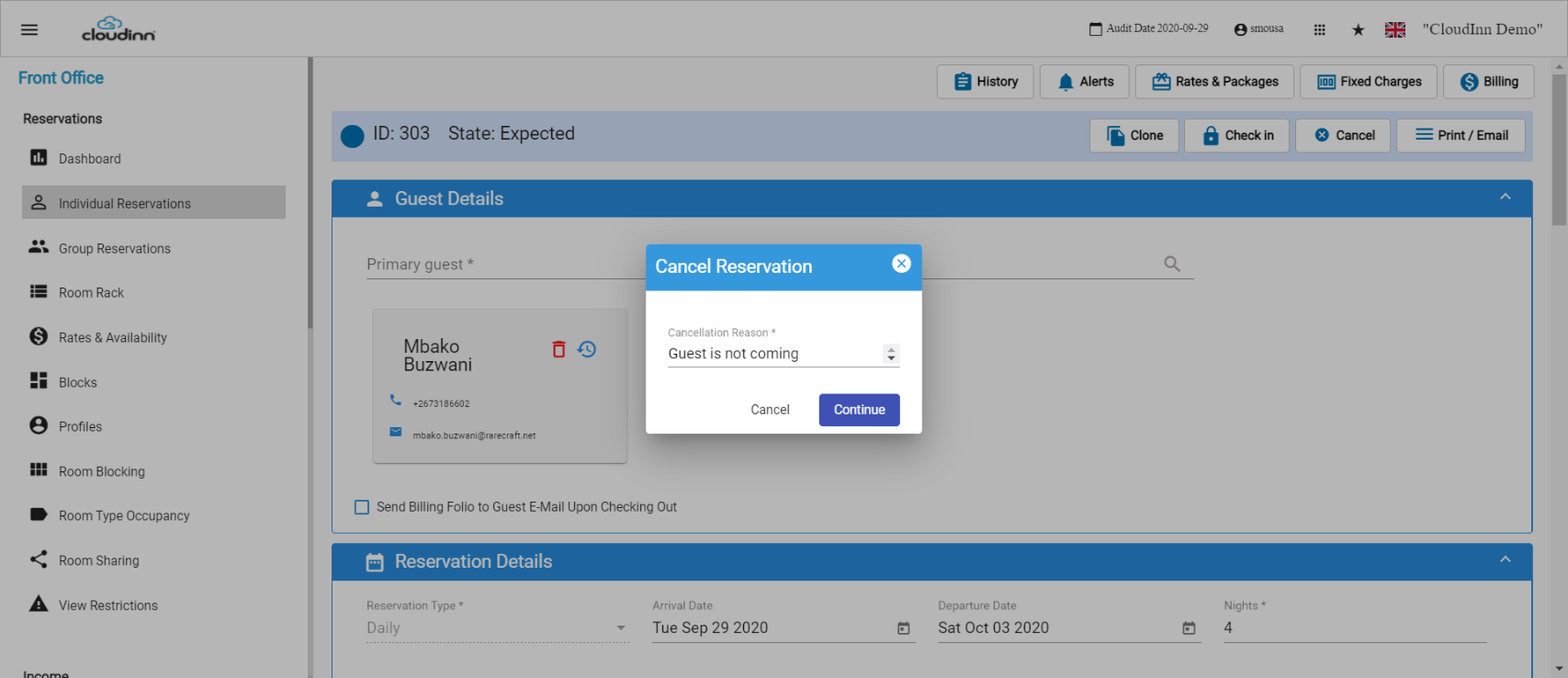
- Insert the cancellation reason.
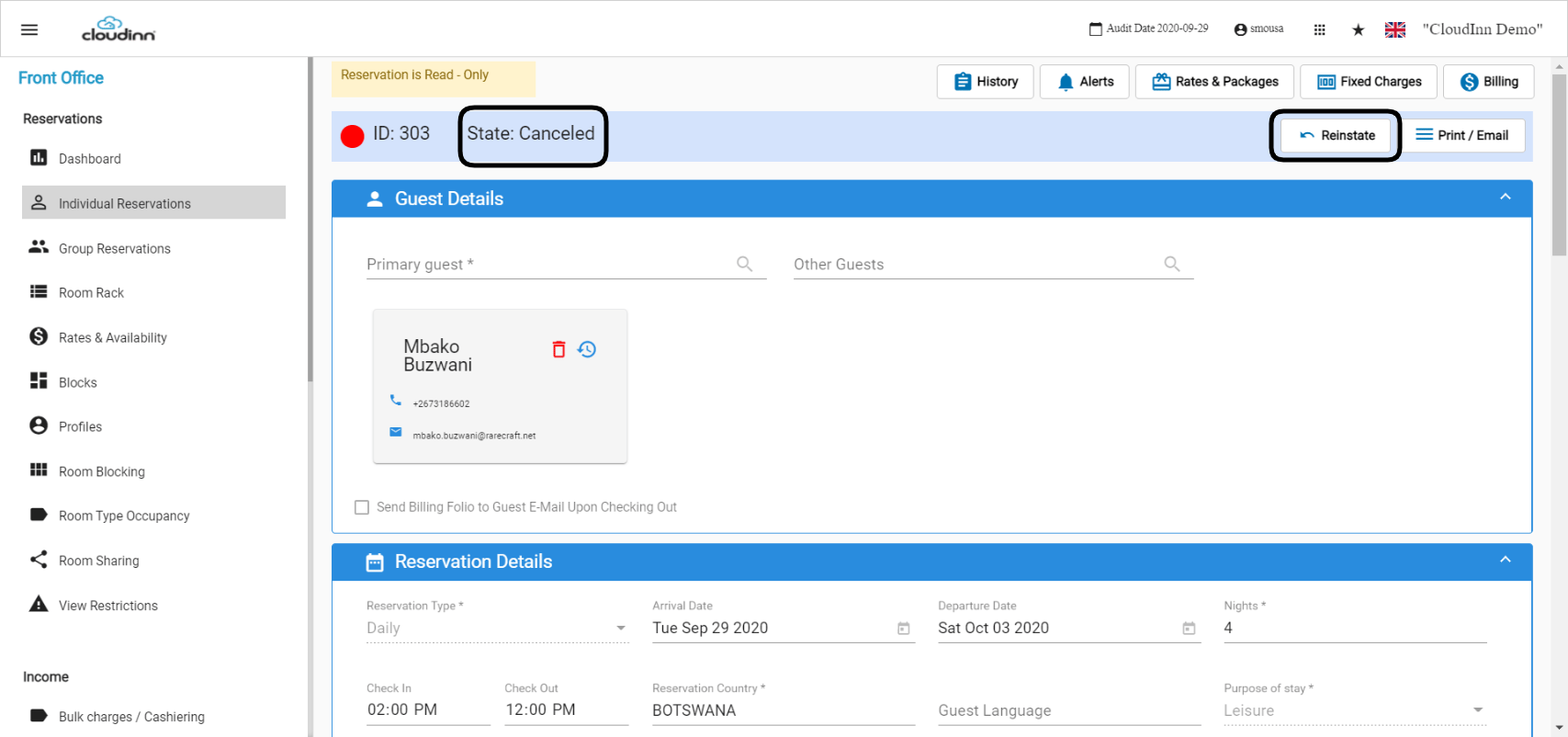
- Click on Reinstate.
- Fill in the comments in the new page that will appear.
- Click Save.
For any given reason we would like to cancel an expected reservation we should follow the below steps: 1. Search for the reservation. Read more about how to find a reservation 2. Open the reservati…