Documentation Index

Fetch the complete documentation index at: https://help.kwentra.com/llms.txt

Use this file to discover all available pages before exploring further.

How to add a Deposit on a guest’s reservation?

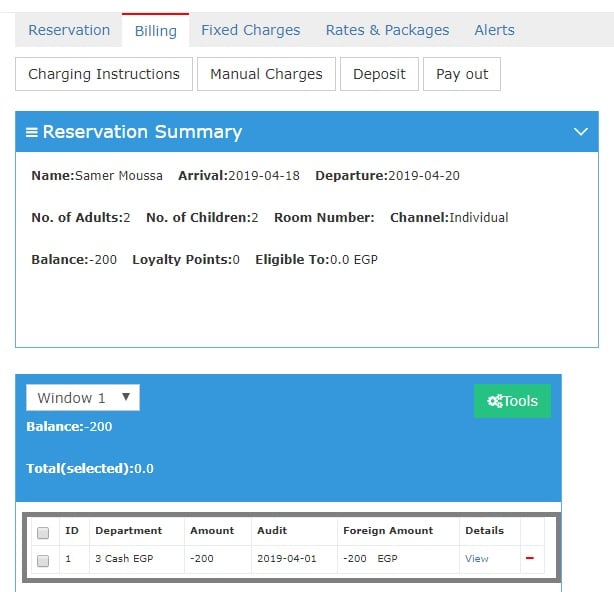
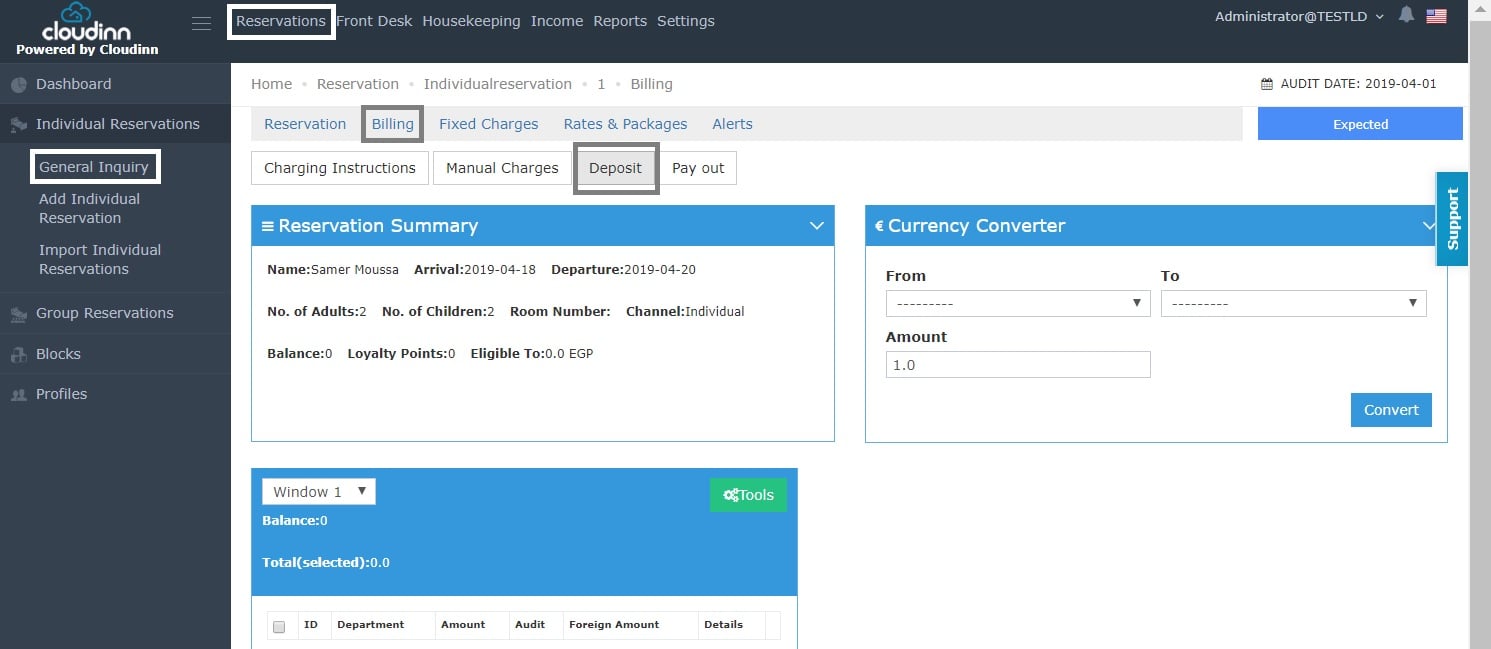
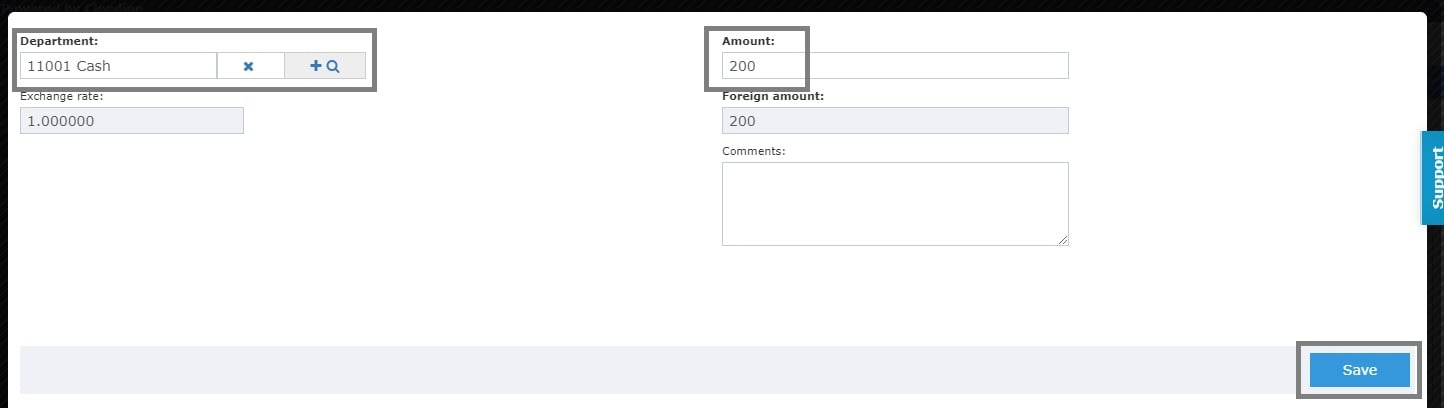
It is important to know how to Add a Deposit if your hotel requires collecting a deposit from the guest. 1- Once you reach the reservation page click on Billing. 2- Click on Deposit. 3- Select the Credit Department you would like this deposit to go to. 4- Put in the amount you would like the guest to pay as a deposit. 5- Click Save. Once you’re done with the above steps you can see the posting for the Deposit Payment of 200 EGP.
the balance is -200 EGP going to Cash EGP Department means that the customer paid a deposit of 200 EGP in regards to his hotel reservation.