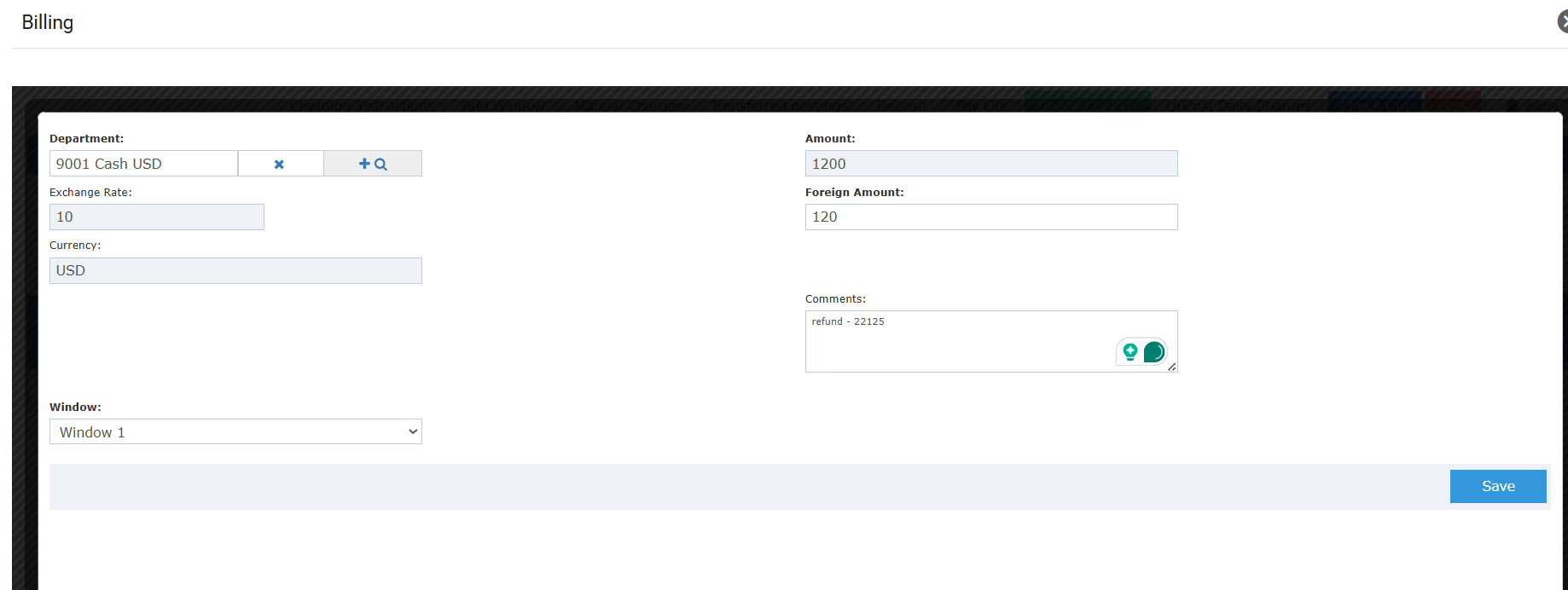
- Issue payouts in any currency, not just the base currency.
- Exchange rate and foreign amount fields appear automatically for foreign currency departments.
- Select the billing window for the payout directly from the Pay Out form.
- Full audit trail maintained — the payout posting remains a money-out transaction.
- Front desk cashier issues a USD payout to a guest using the hotel’s foreign currency cash drawer.
- Cashier selects a EUR credit department for a payout, with the live exchange rate displayed automatically.
- Night auditor verifies payout receipts in foreign currencies after daily reconciliation.
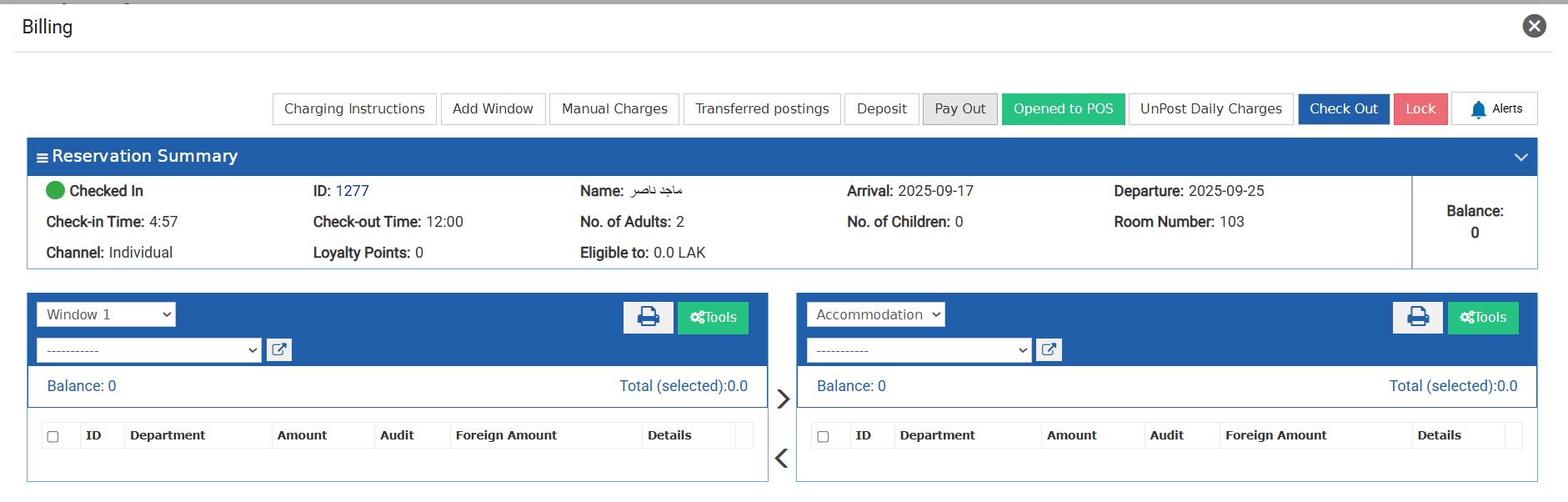
- Department — Select any active credit department, including foreign currency departments. Debit, tax, loyalty, and city ledger departments are not available.
- Amount — Enter the payout amount. Must be greater than zero.
- Exchange Rate / Foreign Amount — These fields appear automatically when a foreign currency department is selected.
- Billing Window — Select which billing window to apply the payout to. Defaults to the first active window on the account.
- Click Save.
- Only active credit departments can be selected.
- Loyalty departments are not allowed.
- City ledger departments are not allowed.
- Debit and tax departments are not allowed.
- Amount must be greater than zero.