Documentation Index

Fetch the complete documentation index at: https://help.kwentra.com/llms.txt

Use this file to discover all available pages before exploring further.

How can you View/Print Invoice Information “Proforma”?

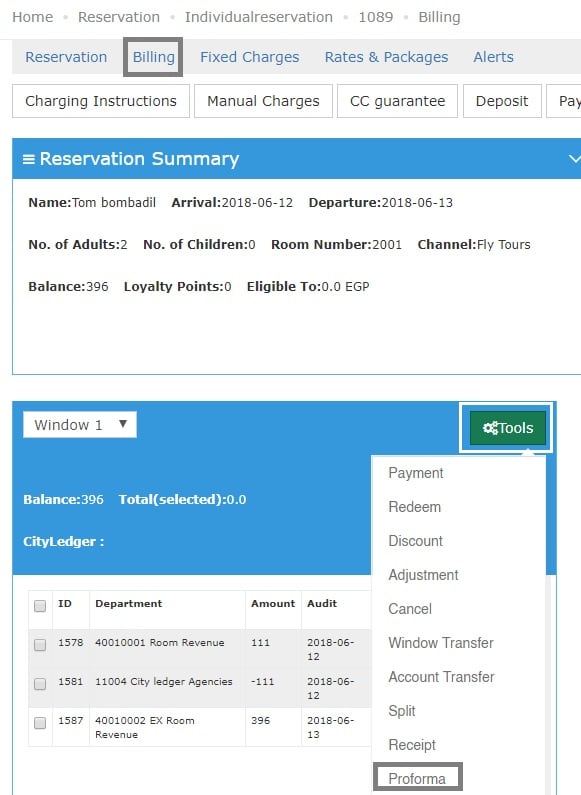
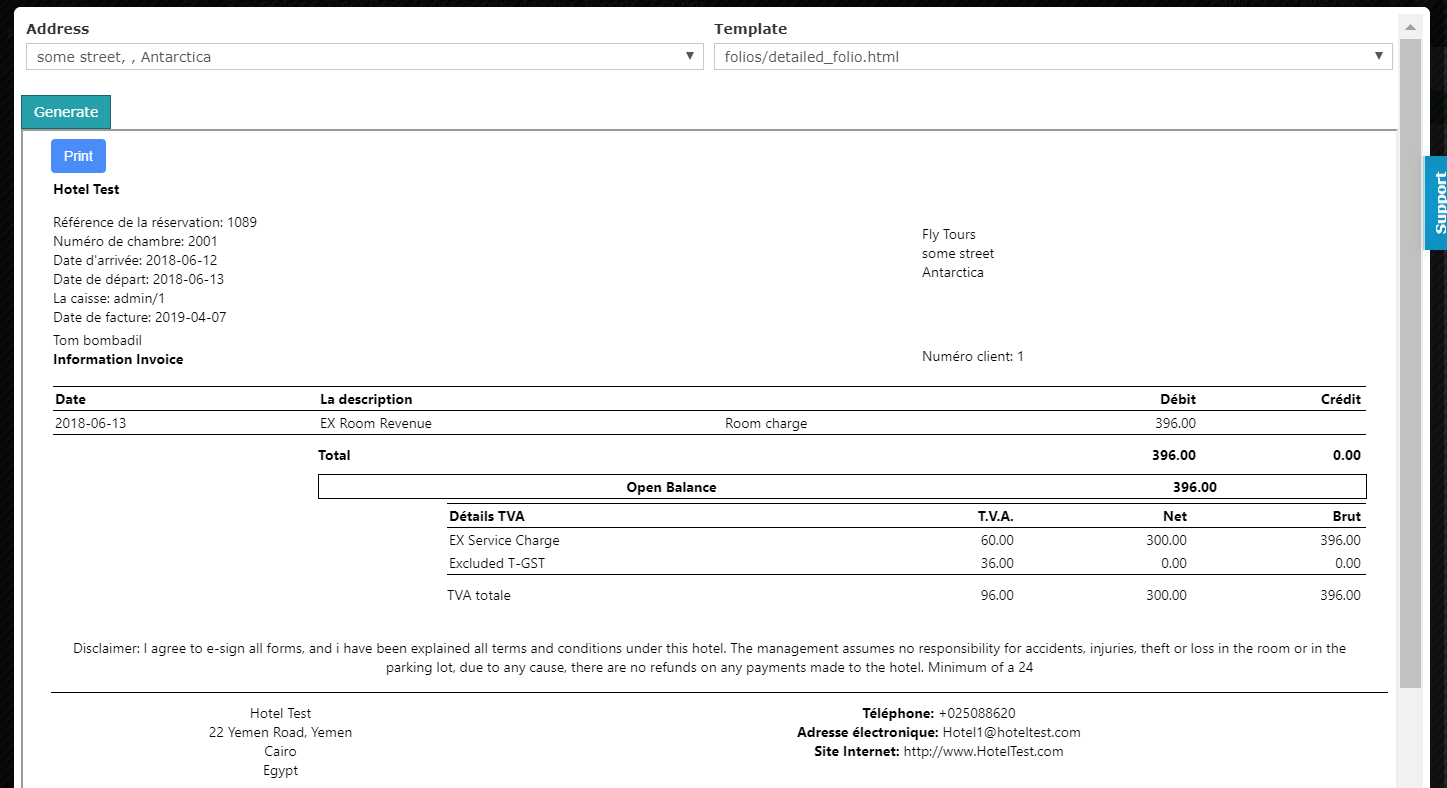
When you would like to see guests’ Invoices and print them, below would be the steps to follow so you can generate a Proforma and also get the option to print it. 1- Once you reach the reservation page click on Billing. 2- Click on Tools then choose Proforma. 3- Select the Proforma Template you desire based on your configurations. 4- Click on Generate. 5- Once you Generate the Proforma you will get the option to Print it.