Documentation Index
Fetch the complete documentation index at: https://help.kwentra.com/llms.txt
Use this file to discover all available pages before exploring further.
How can you see the charges of a reservation?
In this scenario you don’t want to add anything to the existing reservation, all you need to do is to see the charges that shall be applied on the guest when Night Turn Procedure takes place. 1- Once you reach the reservation page click on Billing. You can see the daily postings for this reservation. Balance = 50 EGP: this means that there were daily postings for this reservation with a total of 50 EGP that the guest should pay for this specific night. 50 EGP shall be posted to Room Revenue Department in return for the guest’s stay for the 1st night of the 1st of April 2019. let’s see what we can learn from this screen:
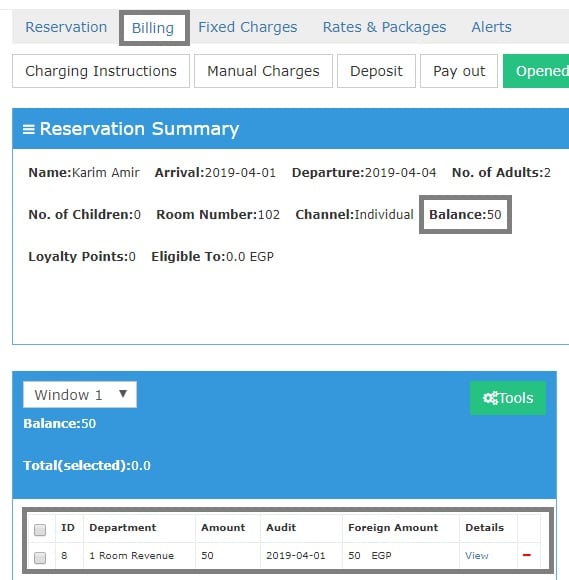
For any posting you can find in this window there’s a View button that can help you understand this posting even further.
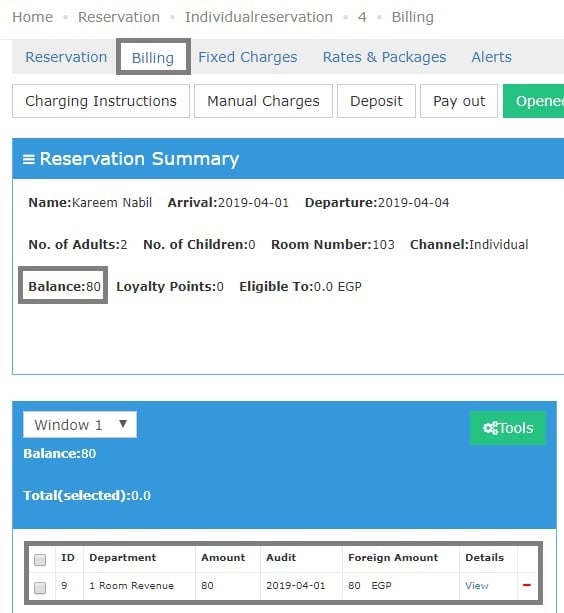
Let’s see the posting of a reservation that has a breakfast included in it’s rate:
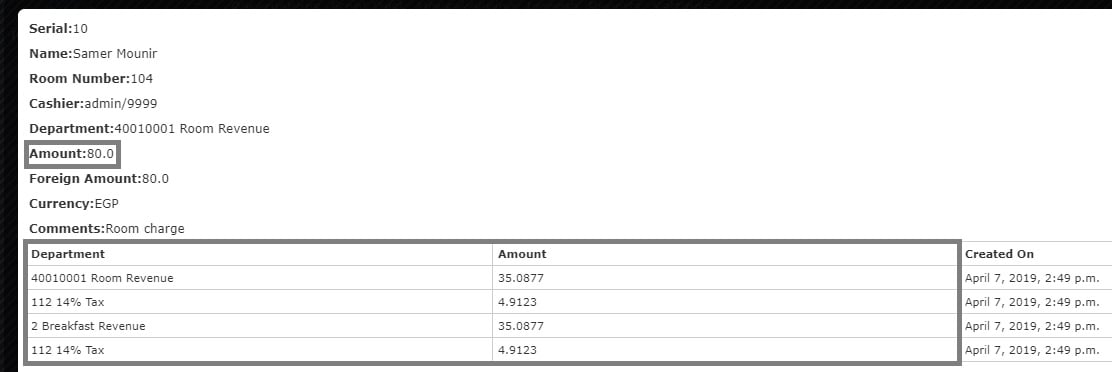
It shows below a posting for Room Revenue only with 80 EGP, however when we click on View we can see how the 80 EGP are divided.
It clearly shows that the Room Charge are divided into Room Charge and Breakfast Charge each going to it’s designated Debit Department alongside the taxes for each charge.
The above applies to any postings or charges after the Night Turn.