

How to quickly print guest's invoices?
Generating and printing the guests invoices’ is an important step during your check-in/check-out process. Rather than clicking on tools and generating the invoice you desire, you can now use the Qu…
Generating and printing the guests invoices’ is an important step during your check-in/check-out process.
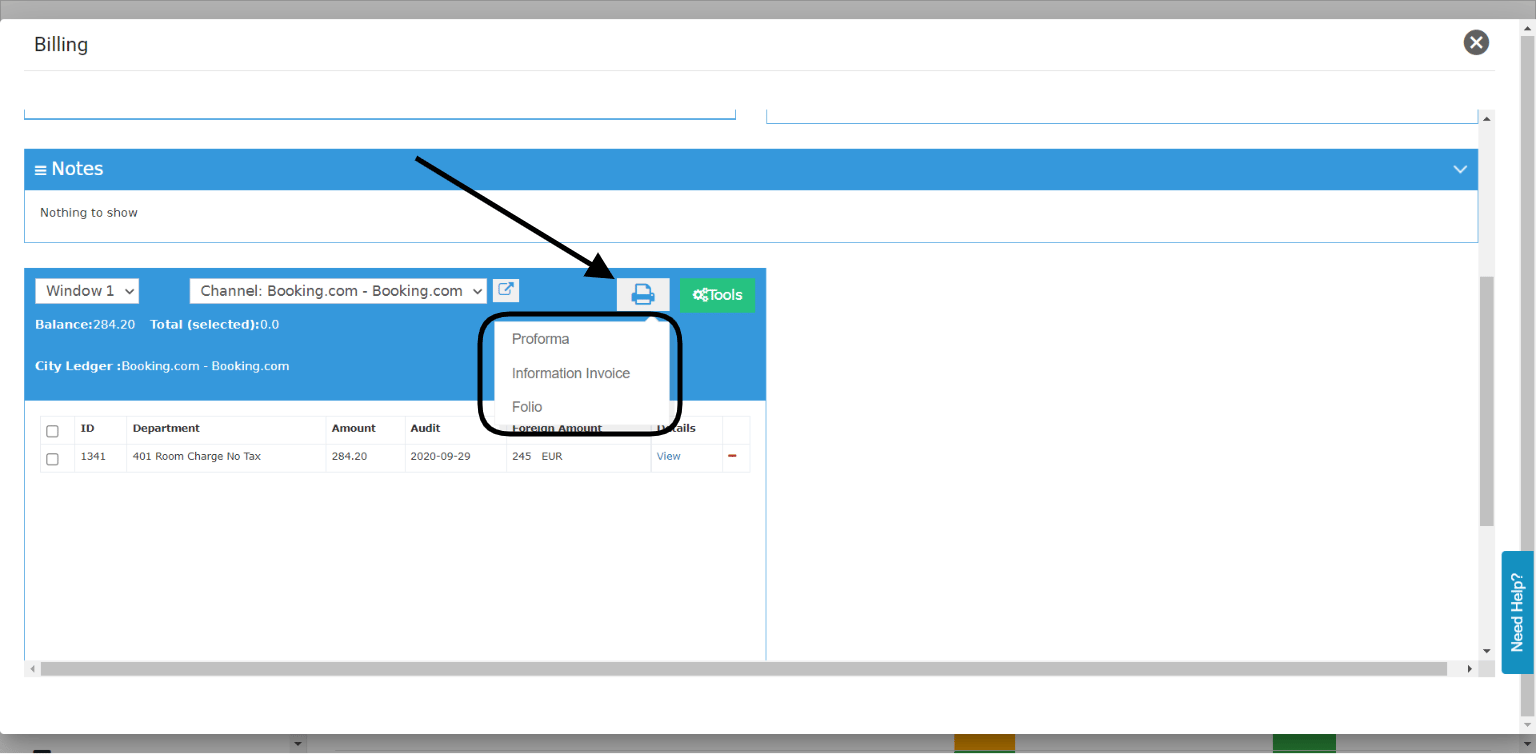
Rather than clicking on tools and generating the invoice you desire, you can now use the Quick Print Option on the billing which includes all types of invoices you would need.
Front Office → Individual Reservations → Billing → Quick Print Icon
Proforma: used when we would like to print the invoice prior to the guest’s check-in to show the projection of the billing postings before they’re posted, it is also used to show guests’ deposit payments. “You can generate as many proformas as you desire”
Information Invoice: used when the guest would like to see his invoice prior to his checkout to revise his amount and pay for it. “You can generate as many informational invoices as you desire”
Folio: this is the final serialized invoice that is generated after checkout or when the balance is zero, can be generated once from the billing screen and has a record of it in the\