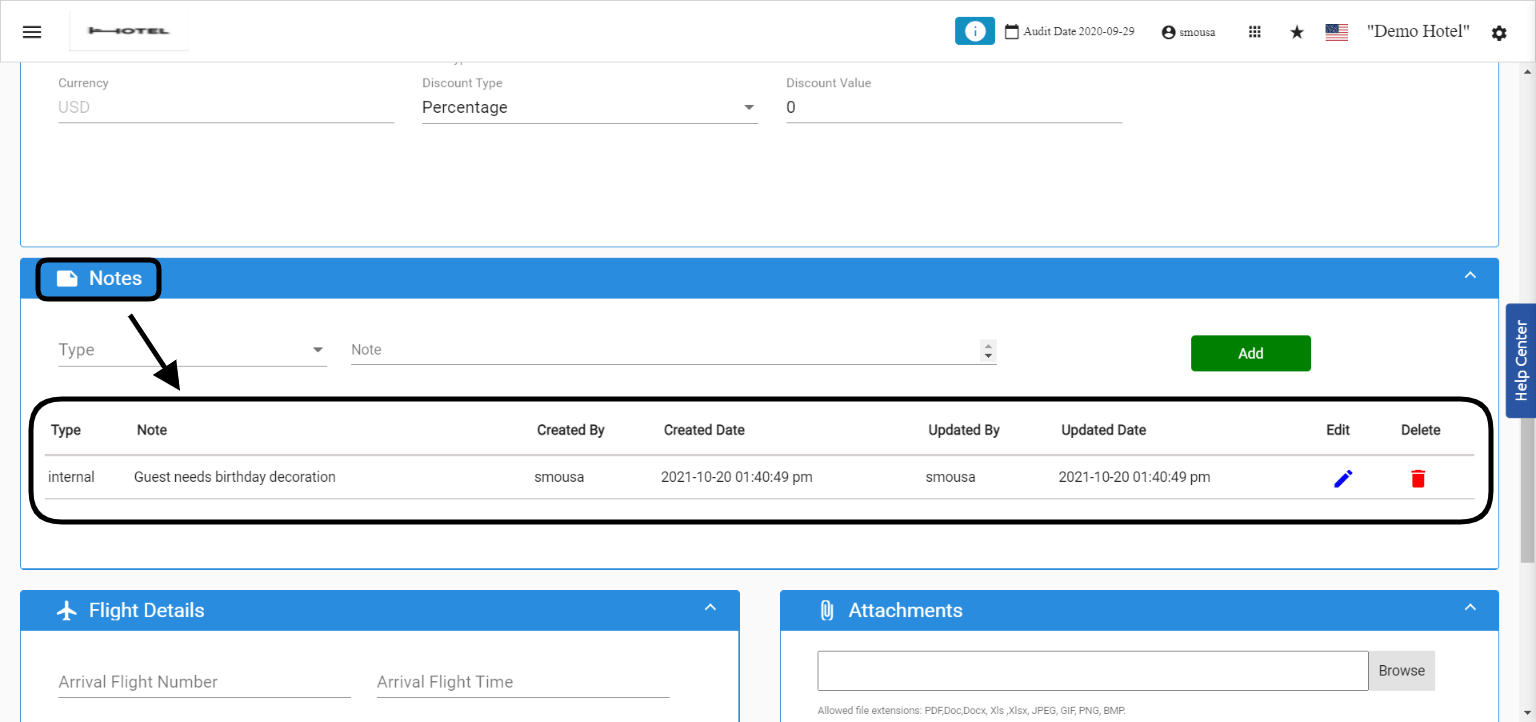
Whenever you would like to leave your guest’s special requests on their reservation for your colleagues and other staff to see or you would like to view the special requests coming on the reservation when created from your OTA i.e. Booking.com/Expedia Or Coming directly from your wbsite, all special requests and notes are stored in one place on the reservation. Front Office → Individual Reservations → Select a Reservation By scrolling down in the reservation you would find the Notes Section where all the notes are stored.Documentation Index
Fetch the complete documentation index at: https://help.kwentra.com/llms.txt
Use this file to discover all available pages before exploring further.
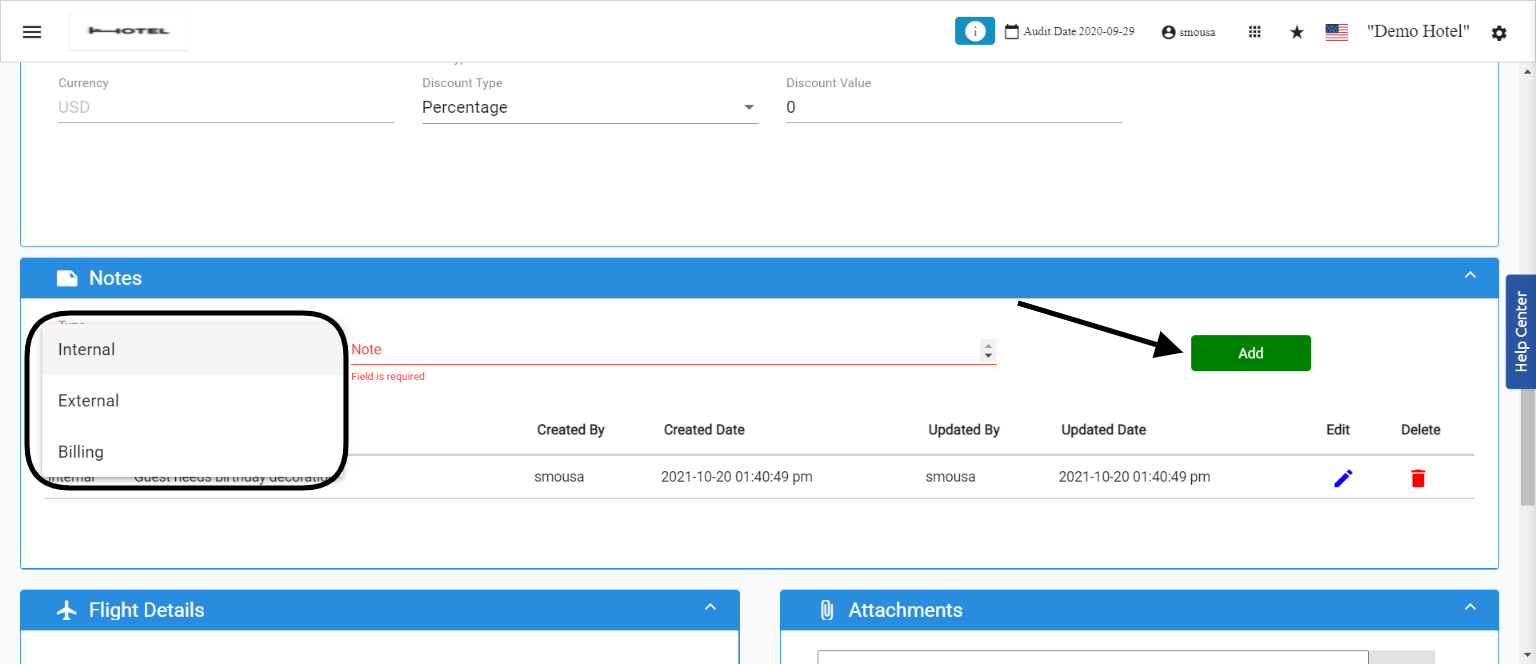
You can add further notes by clicking the Add button, there are three different types of notes.
- Internal Notes
- External Notes
- Billing Notes
- Only the Notes with the type External would appear in the guest communication like email confirmations, invoices, registration cards etc.
- Only Notes with the type Internal would appear in your operational reports like Expected Arrival, Guest Inhouse and Reservation list reports.
- All Notes coming from your connected OTA with our channel manager and from your direct website will be automatically created here under the notes type External.
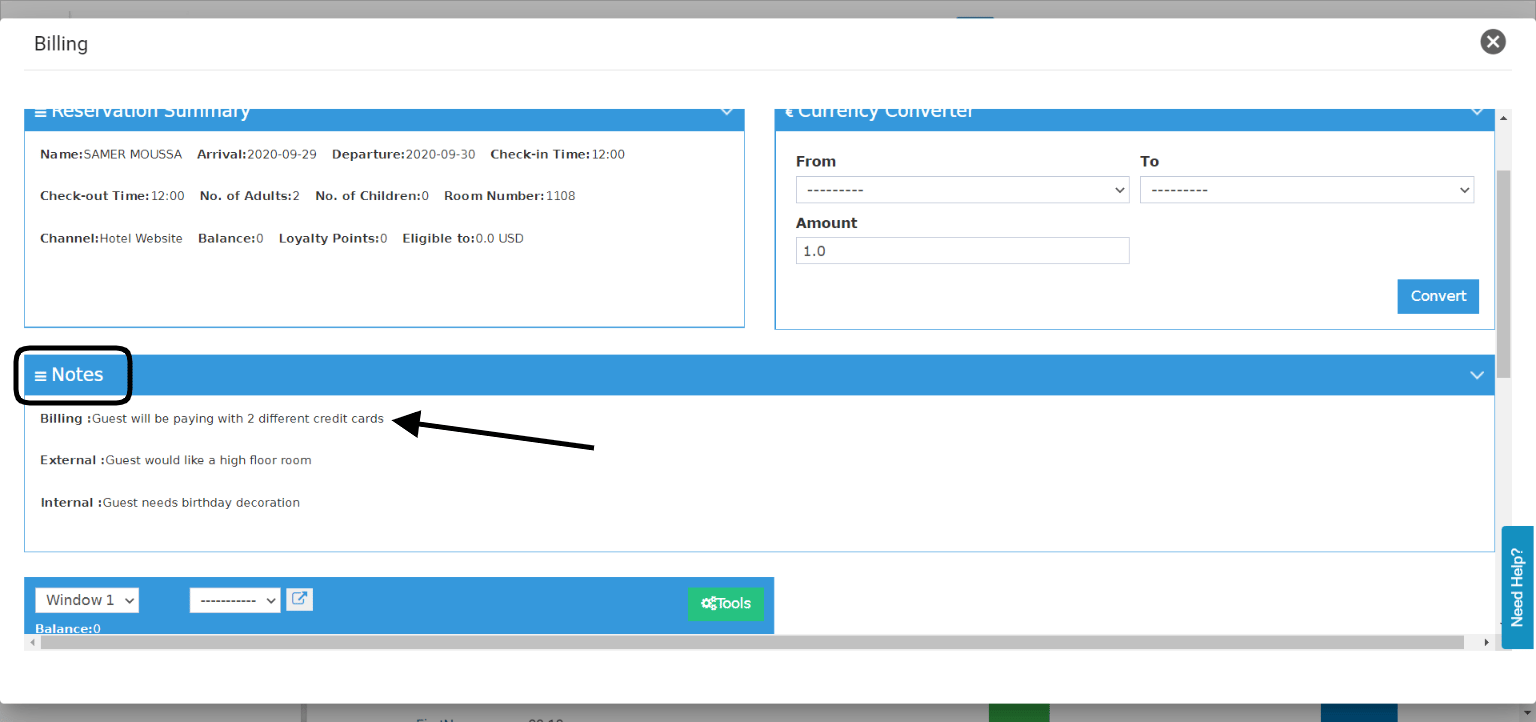
- Billing Notes are a notificational note that we leave on the reservation in order to internally communicate any billing related requests, it appears first in the billing screen of the reservation.
17th of October Update:
You can view the notes on the reservation from the reservation list without the need of opening the reservation.
Front Office → Individual Reservations
25th of October Update:
All added notes on any reservation now appear on the billing screen to work as a communication method between staff and to be always viewable especially at time of checkout or finalizing guests’ bills.
Front Office → Individual Reservations → Billing